

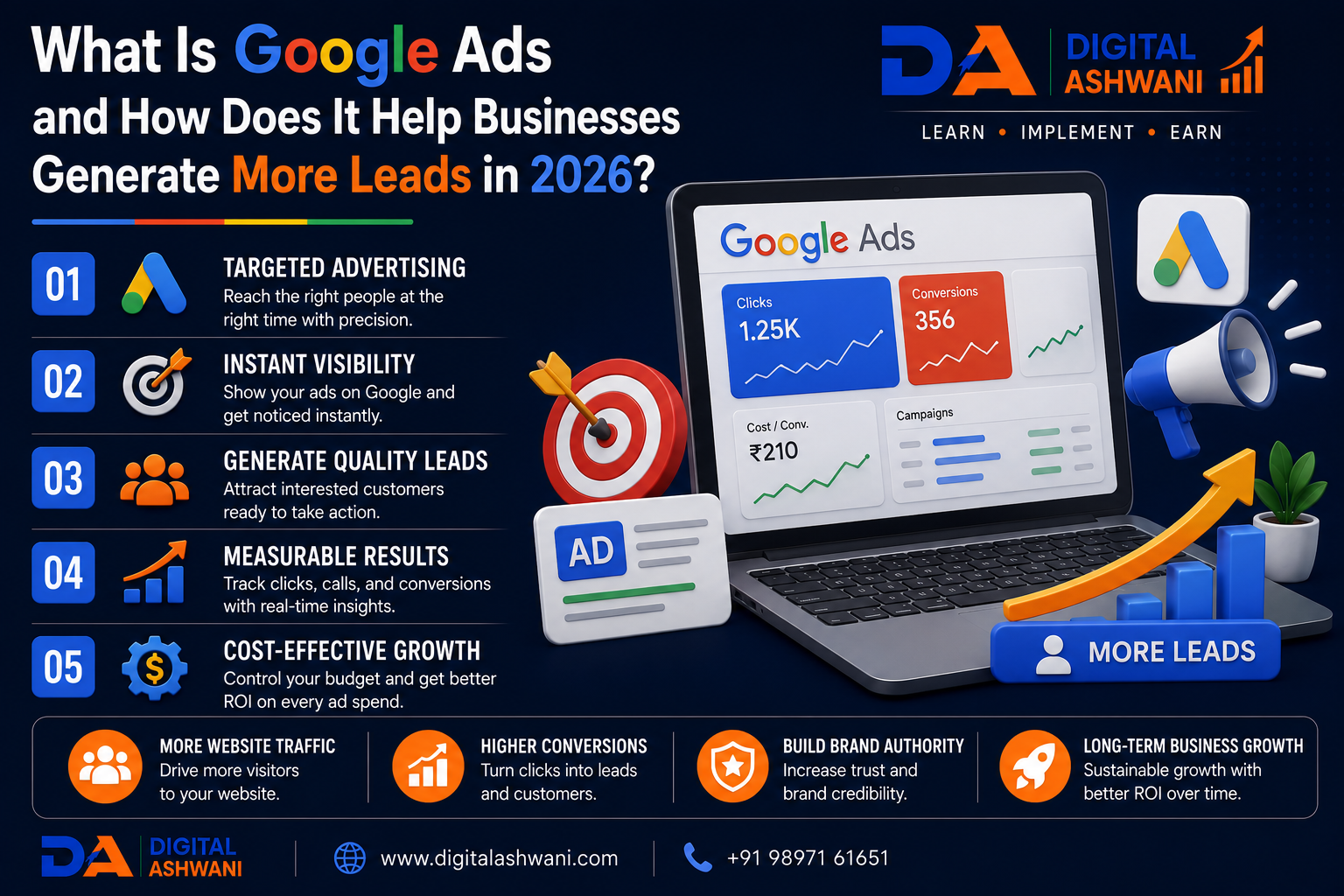
What Is Google Ads?
In today’s competitive digital marketplace, businesses need a fast and measurable way to reach potential customers. While Search Engine Optimization (SEO) helps build long-term organic visibility, it often takes time to produce results. Businesses looking for immediate traffic and qualified leads frequently turn to Google Ads.
Google Ads is one of the world’s largest online advertising platforms, enabling businesses to display ads across Google Search, YouTube, Gmail, Google Maps, Google Shopping, and millions of websites in the Google Display Network.
Whether you own a local business, eCommerce store, startup, SaaS company, healthcare clinic, law firm, educational institute, or enterprise, Google Ads allows you to reach people who are actively searching for your products or services.
In this comprehensive guide by Digital Ashwani, you’ll learn what Google Ads is, how it works, why it matters, and the proven strategies businesses can use to generate more qualified leads in 2026.
What Is Google Ads?
Google Ads is Google’s online advertising platform that allows businesses to promote products and services to people searching on Google or browsing Google’s advertising network.
Most Google Ads campaigns operate on a Pay-Per-Click (PPC) model, meaning advertisers generally pay only when someone clicks on their advertisement.
Instead of waiting months for organic rankings, businesses can appear at the top of Google Search almost immediately after launching a campaign.
Google Ads helps businesses:
- Generate qualified leads
- Increase website traffic
- Boost online sales
- Drive phone calls
- Increase store visits
- Promote brand awareness
How Google Ads Works
Google Ads uses an automated auction system to determine which advertisements appear for a search query.
Several factors influence ad placement.
1. Keyword Targeting
Businesses choose keywords related to their products or services.
Examples:
- Digital Marketing Agency
- SEO Services
- Google Ads Expert
- Personal Loan
- Dentist Near Me
When users search for these keywords, eligible ads may appear.
2. Ad Auction
Every time someone performs a search, Google instantly evaluates eligible ads based on several quality and bidding factors.
The highest bidder does not always win.
Google also evaluates:
- Ad relevance
- Expected click-through rate
- Landing page quality
- User experience
- Ad assets
3. Ad Rank
Google combines your bid with your Quality Score to determine your Ad Rank.
Businesses with highly relevant ads and excellent landing pages can often outrank competitors with larger advertising budgets.
Why Businesses Use Google Ads
Google Ads offers several advantages over many traditional marketing channels.
Businesses can:
- Reach customers immediately
- Target high-intent users
- Control advertising budgets
- Measure campaign performance
- Generate fast leads
- Improve return on investment
It is one of the most measurable and scalable digital advertising platforms available.
Benefits of Google Ads
Google Ads helps businesses:
- Generate qualified leads
- Increase sales
- Improve website traffic
- Reach local customers
- Promote new products
- Increase phone calls
- Build brand awareness
- Measure ROI accurately
Because campaigns are highly targeted, businesses can advertise only to audiences most likely to convert.
15 Powerful Ways Google Ads Helps Businesses Generate More Leads
1. Reach Customers at the Right Time
Google Ads targets users who are actively searching for solutions.
For example:
- Emergency Plumber Near Me
- Buy Running Shoes
- Mortgage Advisor
- Best SEO Agency
These users already have purchasing intent.
2. Deliver Immediate Visibility
Unlike SEO, which may take several months, Google Ads can start driving traffic shortly after campaigns are launched.
This makes it ideal for:
- New businesses
- Product launches
- Seasonal promotions
- Limited-time offers
3. Target Highly Specific Audiences
Advertisers can target based on:
- Location
- Language
- Device
- Age
- Interests
- Search intent
- Previous website visitors
This improves lead quality while reducing wasted ad spend.
4. Control Advertising Costs
Businesses decide:
- Daily budgets
- Monthly budgets
- Maximum bids
- Campaign priorities
Flexible budgeting makes Google Ads suitable for businesses of all sizes.
5. Measure Every Click
Google Ads provides detailed reporting for:
- Clicks
- Impressions
- Conversions
- Cost per Click (CPC)
- Conversion Rate
- Return on Ad Spend (ROAS)
These insights support continuous campaign optimization.
6. Generate Local Business Leads
Local businesses can target nearby customers searching for services.
Examples:
- Restaurant Near Me
- Lawyer in Delhi
- Beauty Salon Near Me
- Dentist in Noida
Location targeting improves lead quality.
7. Increase Phone Calls
Call Ads and call extensions encourage users to contact businesses directly from search results.
This is especially valuable for service-based businesses.
8. Improve Brand Awareness
Even when users don’t click immediately, repeated exposure increases familiarity and trust with your brand.
Google Ads supports long-term brand recognition alongside lead generation.
Increase eCommerce Sales
Google Ads is one of the most effective advertising platforms for online stores.
Promote Products Across Google
Businesses can advertise products through:
- Google Shopping Ads
- Search Ads
- Performance Max Campaigns
- Display Ads
- YouTube Ads
This helps attract customers who are actively looking to purchase products.
10. Improve Remarketing Performance
Not every visitor converts during their first visit.
Remarketing allows businesses to reconnect with people who have already interacted with their website or app.
Remarketing Benefits
Show ads to users who:
- Visited your website
- Added products to the cart
- Viewed specific services
- Started but didn’t complete a form
- Watched your YouTube videos
Remarketing often delivers higher conversion rates because the audience is already familiar with your brand.
11. Support Every Stage of the Customer Journey
Google Ads isn’t only for generating sales.
It can support customers throughout the buying journey.
Campaign Objectives
Use campaigns for:
Awareness
- Display Ads
- YouTube Ads
Consideration
- Search Campaigns
- Discovery Campaigns
- Demand Generation Campaigns
Conversion
- Performance Max
- Shopping Ads
- Remarketing Campaigns
Using multiple campaign types helps guide users from discovery to purchase.
12. Leverage AI-Powered Campaign Optimization
Google Ads increasingly relies on Artificial Intelligence to improve campaign performance.
AI Features Include
- Smart Bidding
- Performance Max
- Audience Signals
- Responsive Search Ads
- Automatically Created Assets
- Conversion Predictions
These AI-powered tools help advertisers optimize campaigns based on real-time data.
13. Improve Landing Page Experience
A high-performing ad still needs an optimized landing page.
Landing Page Best Practices
Include:
- Fast loading speed
- Mobile-friendly design
- Clear headlines
- Strong Call-to-Action (CTA)
- Trust badges
- Customer testimonials
- Simple contact forms
A better landing page increases Quality Score and improves conversion rates.
14. Track and Optimize Campaign Performance
Google Ads provides detailed analytics to help businesses improve results over time.
Monitor Key Metrics
Track:
- Click-Through Rate (CTR)
- Cost Per Click (CPC)
- Cost Per Lead (CPL)
- Conversion Rate
- Return on Ad Spend (ROAS)
- Quality Score
- Impression Share
Regular optimization helps reduce wasted ad spend and improve ROI.
15. Scale Your Business with Google Ads
As campaigns become profitable, businesses can gradually increase budgets and expand into new markets.
Growth Opportunities
Scale by:
- Expanding keyword coverage
- Launching new campaigns
- Targeting additional locations
- Testing new ad creatives
- Using audience segmentation
- Running seasonal promotions
Google Ads provides flexibility for businesses at every stage of growth.
Types of Google Ads Campaigns
Google Ads offers multiple campaign formats to achieve different business goals.
Search Campaigns
Text ads that appear in Google Search results when users search for relevant keywords.
Best for:
- Lead generation
- Service businesses
- Local businesses
Display Campaigns
Visual banner ads shown across millions of websites in the Google Display Network.
Best for:
- Brand awareness
- Remarketing
- Product promotion
Shopping Campaigns
Product listings that include images, prices, and store information.
Best for:
- eCommerce stores
- Retail businesses
- Online product sales
Performance Max Campaigns
AI-powered campaigns that automatically optimize placements across:
- Google Search
- YouTube
- Gmail
- Discover
- Display Network
- Maps
Best for advertisers seeking automated optimization across Google’s entire ecosystem.
Video Campaigns
Video advertisements displayed primarily on YouTube and Google video partners.
Best for:
- Brand awareness
- Product demonstrations
- Customer education
Common Google Ads Mistakes
Targeting Broad Keywords
Very broad keywords often generate irrelevant clicks and increase advertising costs.
Focus on high-intent keywords whenever possible.
Ignoring Negative Keywords
Negative keywords prevent ads from appearing for irrelevant searches, helping reduce wasted budget.
Weak Landing Pages
Sending visitors to poorly designed or irrelevant pages reduces conversions and increases costs.
Ensure landing pages match the user’s search intent.
Not Tracking Conversions
Without conversion tracking, it’s impossible to know which campaigns generate leads or sales.
Always implement accurate conversion measurement.
Stopping Optimization Too Early
Google Ads requires ongoing testing and optimization.
Regularly improve:
- Keywords
- Ad copy
- Bidding strategies
- Landing pages
- Audience targeting
Continuous optimization leads to better long-term performance.
Google Ads Checklist
| Google Ads Task | Status |
|---|---|
| Keyword Research | ✅ |
| Campaign Structure | ✅ |
| Responsive Search Ads | ✅ |
| Negative Keywords | ✅ |
| Conversion Tracking | ✅ |
| Landing Page Optimization | ✅ |
| AI Bidding Strategy | ✅ |
| Audience Targeting | ✅ |
| Performance Monitoring | ✅ |
| Regular Optimization | ✅ |
Internal Linking Suggestions (Digital Ashwani)
Strengthen your PPC and digital marketing content cluster by linking this article with:
- Google Marketing Live 2026: Top AI Features Every Marketer Should Know
- Google Ads AI Features Explained
- Performance Marketing vs Digital Marketing
- AI SEO vs Traditional SEO
- SEO Checklist for 2026
- Keyword Research Guide
- Landing Page Optimization Guide
- Conversion Rate Optimization (CRO) Guide
- Best AI Tools for Digital Marketing
- Google Analytics Guide
These internal links improve topical authority and provide readers with a complete learning path.
External Resources
For official guidance on Google Ads, explore:
- Google Ads Help Center
- Google Ads Skillshop
- Google Analytics Help Center
- Google Tag Manager Help
- Google Search Central
These official resources offer up-to-date best practices for campaign management and measurement.
Frequently Asked Questions
What is Google Ads?
Google Ads is Google’s online advertising platform that allows businesses to display ads across Google Search, YouTube, Google Shopping, Gmail, Maps, and the Google Display Network to reach potential customers.
How does Google Ads generate leads?
Google Ads targets people actively searching for products or services. By showing relevant ads to high-intent users and directing them to optimized landing pages, businesses can generate qualified leads and sales.
How much does Google Ads cost?
There is no fixed cost. Businesses control their own budgets, bids, and spending. Costs vary depending on industry, competition, keywords, and campaign objectives.
Is Google Ads better than SEO?
Google Ads and SEO serve different purposes. Google Ads provides immediate visibility and quick results, while SEO focuses on long-term organic traffic. Many successful businesses use both strategies together.
Can small businesses use Google Ads?
Yes. Google Ads offers flexible budgeting and precise targeting, making it suitable for startups, local businesses, eCommerce stores, and enterprises alike.
Final Thoughts
Understanding What Is Google Ads is essential for businesses looking to generate qualified leads, increase sales, and grow their online presence. Google Ads enables companies to connect with customers at the exact moment they are searching for relevant products or services, making it one of the most effective forms of digital advertising.
However, successful advertising is about more than simply launching campaigns. Businesses that combine high-quality keywords, compelling ad copy, optimized landing pages, AI-powered bidding strategies, and continuous performance analysis achieve stronger results and better returns on investment.
For long-term success, Google Ads should be integrated with SEO, content marketing, analytics, and conversion rate optimization. Together, these strategies create a sustainable digital marketing system that drives both immediate and long-term business growth.
At Digital Ashwani, we regularly publish practical guides on Google Ads, PPC, AI marketing, SEO, and digital marketing to help businesses stay ahead in Google’s rapidly evolving advertising ecosystem.
