

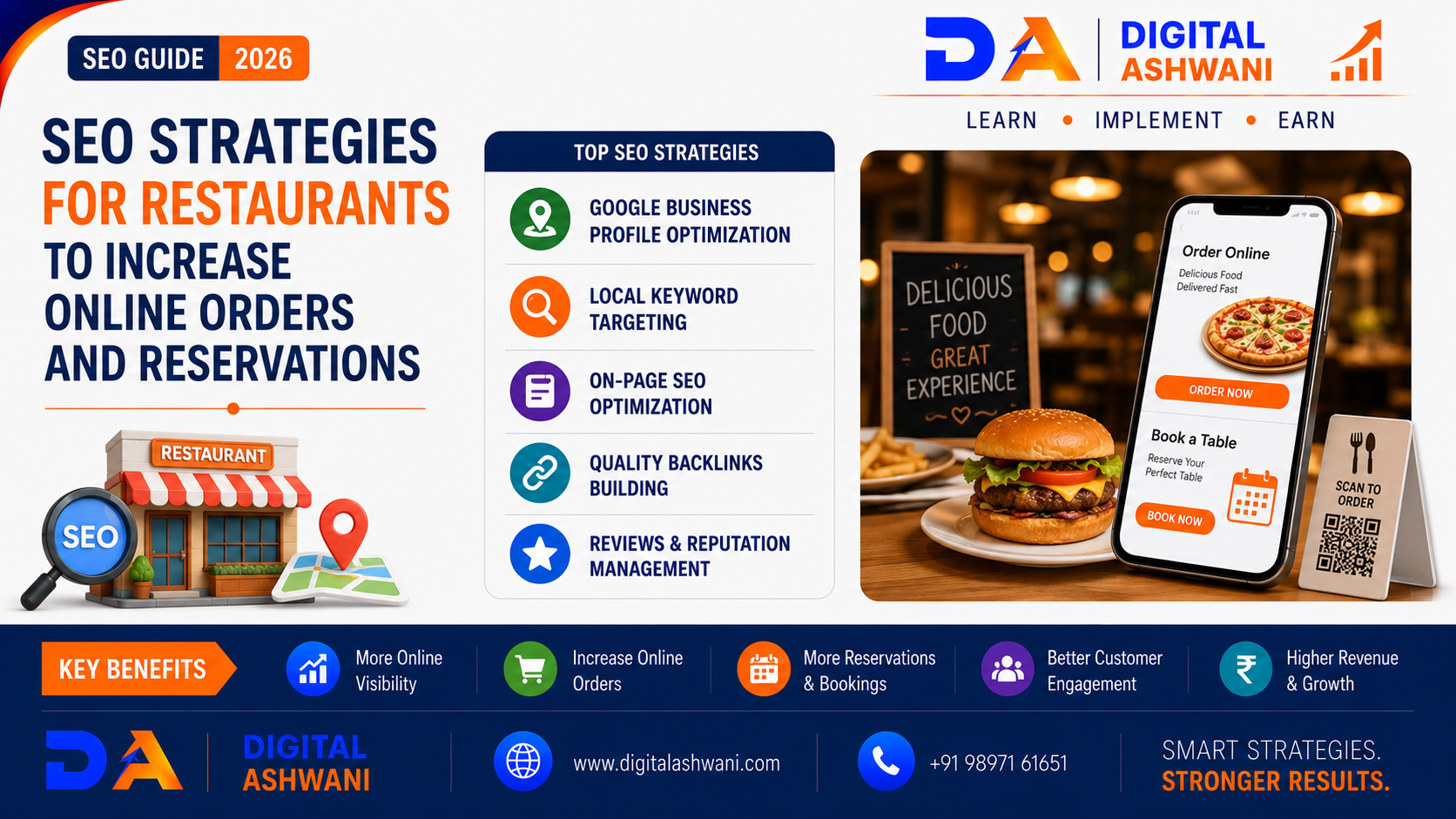
SEO Strategies for Restaurants to Increase Online Orders and Reservations
For restaurants, being visible when hungry customers search for food nearby can directly influence business revenue.
People search for restaurants using queries such as:
- Best Restaurant Near Me
- Italian Restaurant in Delhi
- Family Restaurant Near Me
- Best Pizza in Delhi
- Restaurants Open Now
- Restaurant for Birthday Dinner
- Food Delivery Near Me
- Best Cafe Near Me
If your restaurant doesn’t appear prominently when potential customers are searching, you may lose orders and reservations to competitors.
This is where SEO for Restaurants becomes extremely valuable.
Restaurant SEO combines traditional SEO, Local SEO, Google Business Profile optimization, menu optimization, reviews, location-based content, technical SEO, and conversion optimization.
Google’s own restaurant guidance allows eligible businesses to manage menus, online ordering links, reservations, photos, posts, reviews, and other important information directly through their Business Profile.
In this comprehensive guide by Digital Ashwani, you’ll learn practical SEO strategies that restaurants can use to improve local visibility, attract hungry customers, increase online orders, and generate more table reservations.
Why SEO Matters for Restaurants
Restaurant customers often search with strong local and commercial intent.
Someone searching for:
“Best North Indian restaurant near me”
is much closer to making a dining decision than someone casually browsing food-related content.
SEO can help restaurants attract customers searching for:
- Dining Options
- Takeaway
- Food Delivery
- Special Offers
- Restaurant Reservations
- Specific Cuisines
- Private Dining
- Events and Celebrations
A strong SEO strategy can support:
- More Website Visits
- More Phone Calls
- More Directions
- More Online Orders
- More Reservations
- More Repeat Customers
How Restaurant Local SEO Works
Google’s local search results are primarily influenced by relevance, distance, and prominence. Google also recommends keeping Business Profile information complete and accurate, responding to reviews, and adding photos and videos.
This means restaurants should focus on both visibility and customer experience.
Your restaurant should clearly communicate:
- What You Serve
- Where You Are
- When You’re Open
- How Customers Can Order
- How Customers Can Reserve
- What Customers Say About You
Optimize Your Google Business Profile
Keep Restaurant Information Accurate
Make sure your profile contains accurate:
- Restaurant Name
- Address
- Phone Number
- Website
- Opening Hours
- Special Hours
- Business Category
Google recommends complete and accurate Business Profile information because it helps customers understand what your business offers and when they can visit.
Add the Correct Restaurant Category
Your primary category should accurately represent your restaurant.
Where appropriate, use relevant additional categories without adding categories simply to target unrelated searches.
Google provides restaurant-specific Business Profile features based on the business category.
Optimize Your Restaurant Menu for Search
Create a Detailed Online Menu
Your website should have a dedicated menu page containing:
- Dish Names
- Descriptions
- Prices
- Categories
- Ingredients Where Useful
- Dietary Information Where Relevant
- High-Quality Food Photos
Google’s menu editor supports sections, dishes, descriptions, and prices for eligible food and drink businesses.
Use Search-Friendly Dish Information
Instead of writing:
“Special Combo”
provide useful information such as:
“Paneer Tikka Masala Dinner Combo”
Use natural descriptions that help customers and search engines understand the dish.
Avoid stuffing keywords into every menu item.
Build a Restaurant Keyword Strategy
Target Local and Cuisine-Based Keywords
Examples include:
- Restaurant in Delhi
- Indian Restaurant Delhi
- Chinese Restaurant Near Me
- Best Cafe in East Delhi
- Family Restaurant in Noida
- Pizza Restaurant Delhi
- Rooftop Restaurant Near Me
Target keywords based on your actual cuisine, location, services, and customer intent.
Target Long-Tail Searches
Longer searches can reveal specific customer needs.
Examples:
- Best Restaurant for Birthday Dinner in Delhi
- Family Restaurant With Parking in Delhi
- Vegetarian Restaurant Near East Delhi
- Best Rooftop Restaurant for Couples
These searches can be particularly valuable when your restaurant genuinely meets the requirement.
Optimize Your Restaurant Website
Create a Strong Homepage
Your homepage should immediately communicate:
- Restaurant Name
- Cuisine
- Location
- Main Offerings
- Opening Hours
- Online Ordering
- Reservation Option
- Contact Information
Customers shouldn’t have to search through multiple pages to figure out how to order or reserve a table.
Create Dedicated Location Pages
If your restaurant has multiple legitimate locations, create a unique page for each location.
Each page should include genuinely useful information such as:
- Address
- Opening Hours
- Local Directions
- Menu
- Parking Information
- Location-Specific Photos
- Reservation Options
Avoid creating hundreds of nearly identical location pages simply for SEO.
Optimize Online Ordering
Make Ordering Easy From Google
Eligible restaurants can add online ordering links to their Google Business Profile. Google provides options for managing third-party providers and custom ordering links.
Customers may discover your restaurant through Google Search or Maps and then use an ordering link to continue to the ordering provider or website.
This reduces friction between:
Search → Menu → Order
Use a Clear Order CTA
Your website should prominently display buttons such as:
- Order Online
- Order for Pickup
- Get Delivery
- View Menu
- Start Your Order
Make sure the buttons work correctly on mobile devices.
Optimize Restaurant Reservations
Add Reservation Links
Eligible restaurants can add reservation links to their Business Profile, including links through supported booking providers.
This can create a shorter customer journey:
Google Search → Restaurant Profile → Reserve Table
Make Reservations Mobile-Friendly
Your booking process should require as few unnecessary steps as possible.
Clearly display:
- Date
- Time
- Party Size
- Reservation Confirmation
- Cancellation Information
A complicated booking process can result in lost reservations.
Build a Strong Restaurant Review Strategy
Encourage Genuine Customer Reviews
Reviews can influence both local visibility and customer decisions.
Google states that review count and positive ratings can contribute to local ranking through prominence.
Ask customers for honest feedback after a genuine dining experience.
Never buy fake reviews or manipulate customer feedback.
Respond to Reviews
Respond professionally to:
- Positive Reviews
- Negative Reviews
- Questions
- Customer Feedback
Google recommends responding to reviews as part of managing your Business Profile and showing customers that you value their feedback.
Create Restaurant-Specific Content
Publish Useful Local Content
Create content around topics your customers actually search for.
Examples:
- Best Dishes to Try at Our Restaurant
- Guide to Our Restaurant’s Cuisine
- Best Restaurants for Birthday Celebrations
- Vegetarian Dining Guide
- Family Dining Guide
- Best Food for Group Events
- Restaurant Event Guide
Useful content can help attract customers before they decide where to eat.
Create Location-Based Content
Target Nearby Customer Searches
If your restaurant serves a particular neighborhood, create useful content around that area.
For example:
- Restaurants Near [Landmark]
- Best Places to Eat in [Area]
- Dinner Options Near [Location]
- Cafes Near [Metro Station]
Only create location pages or articles where the restaurant genuinely serves the area.
Optimize Restaurant Images
Use High-Quality Food Photography
Images can strongly influence restaurant decisions.
Add useful photos of:
- Signature Dishes
- Restaurant Interior
- Exterior
- Dining Area
- Food Presentation
- Events
- Menu Items
Google specifically recommends restaurants add photos and videos to help customers understand the dining experience.
Improve Website Speed
Optimize Mobile Performance
Restaurant customers frequently search while using smartphones.
Optimize:
- Image Sizes
- Mobile Layout
- Page Speed
- Buttons
- Navigation
- Online Ordering
- Reservation Forms
A fast website makes it easier for customers to find information and complete actions.
Add Restaurant Structured Data
Use Relevant Schema
Where appropriate, implement structured data that accurately represents your restaurant and website.
Depending on the content and eligibility, this may include:
- Restaurant
- LocalBusiness
- Organization
- Menu
- Breadcrumb
- WebSite
Always validate structured data and only mark up information that is actually present on the page.
Optimize for “Near Me” Searches
Focus on Local Relevance
There is no special “near me” keyword trick that guarantees rankings.
Instead, strengthen your local signals through:
- Accurate Business Information
- Correct Location
- Local Content
- Google Business Profile
- Reviews
- Relevant Website Content
- Local Citations
Google uses the searcher’s location as part of the distance component of local results.
Use Google Business Profile Posts Strategically
Promote Offers and Events
Eligible Business Profiles can publish updates and action buttons that direct customers to websites for actions such as ordering or booking.
Restaurant posts can highlight:
- New Menu Items
- Seasonal Dishes
- Events
- Special Offers
- Holiday Menus
- Live Music
- Dining Experiences
Keep information accurate and update promotions when they expire.
Track Restaurant SEO Performance
Monitor Business Profile Metrics
Google’s restaurant guidance highlights metrics such as:
- Searches
- Menu Clicks
- Bookings
as useful Business Profile performance indicators.
Also track website and business outcomes such as:
- Online Orders
- Reservation Requests
- Phone Calls
- Direction Requests
- Website Traffic
- Organic Search Traffic
- Revenue
Connect SEO With Conversion Optimization
Turn Traffic Into Orders
Ranking higher isn’t enough.
Your website should make the next action obvious.
Use clear CTAs such as:
View Menu
Order Online
Reserve a Table
Call Now
Get Directions
The objective is to move customers from search visibility to action.
Restaurant SEO Strategy by Customer Intent
Discovery Intent
Examples:
- Best Restaurants Near Me
- Best Pizza in Delhi
Focus on:
- Local SEO
- Google Business Profile
- Reviews
- Local Content
Research Intent
Examples:
- Restaurant Menu
- Restaurant Reviews
- Best Dishes
Focus on:
- Menu Pages
- Food Photos
- Reviews
- Detailed Content
Action Intent
Examples:
- Order Food Online
- Reserve Restaurant Table
- Restaurant Booking
Focus on:
- Order Links
- Reservation Links
- Fast Website
- Clear CTAs
Common Restaurant SEO Mistakes
Ignoring Google Business Profile
A poorly maintained profile can make it harder for customers to find accurate information.
Using an Outdated Menu
Incorrect prices or unavailable dishes can frustrate customers.
Hiding the Menu Behind Images Only
Whenever practical, provide crawlable and accessible menu information on the website.
Making Online Ordering Difficult
Too many steps can reduce completed orders.
Ignoring Reviews
Customer feedback is an important part of local reputation.
Using Duplicate Location Pages
Thin or duplicated pages don’t provide meaningful value to customers.
Ignoring Mobile Users
A restaurant website must work smoothly on smartphones.
Tracking Traffic Instead of Revenue
More visitors don’t necessarily mean more business.
Measure orders, bookings, leads, and revenue wherever possible.
Restaurant SEO Checklist
Before publishing your restaurant SEO strategy, check:
- Google Business Profile Verified
- Correct Restaurant Category
- Accurate Address
- Updated Opening Hours
- Menu Added
- Menu Prices Updated
- Online Ordering Link Added
- Reservation Link Added
- Restaurant Photos Updated
- Genuine Reviews Requested
- Reviews Responded To
- Mobile-Friendly Website
- Fast Website
- Local Keywords Targeted
- Location Pages Optimized
- Restaurant Schema Implemented Where Appropriate
- Clear Order CTA
- Clear Reservation CTA
- Conversion Tracking Configured
- SEO Performance Monitored
Internal Linking Suggestions (Digital Ashwani)
Strengthen your restaurant SEO content cluster by linking this article with:
- Complete Google Business Profile Optimization Guide for Higher Local Search Rankings
- How Google Business Profile Reviews Improve Local Search Rankings and Attract More Customers
- Google Posts Strategy to Generate More Calls and Website Clicks Locally
- Local SEO Tips for Gym Membership Growth
- Social Media Marketing Trends Every Business Owner Should Know in 2026
- How to Increase Website Conversion Rates Using Data-Driven Optimization Methods
- What Is Cost Per Click (CPC)? Powerful Ways to Reduce CPC and Improve ROI
- Complete YouTube Marketing Guide for Business Growth and Brand Awareness
These internal links connect restaurant SEO with Google Business Profile optimization, reviews, local marketing, conversion optimization, paid advertising, and broader digital marketing strategies.
External Resources
For official restaurant and Google Business Profile guidance, refer to:
- Google Business Profile Help
- Google Search Central
- Google Business Profile Menu Editor
- Google Business Profile Online Ordering Help
- Google Business Profile Booking Help
Google’s restaurant documentation confirms that eligible restaurants can manage menus, ordering links, reservations, photos, reviews, posts, and performance information through their Business Profile.
Frequently Asked Questions
Why is SEO important for restaurants?
SEO helps restaurants become more visible when customers search for nearby restaurants, cuisines, dishes, dining experiences, online food ordering, and reservations.
How can restaurants get more online orders through SEO?
Optimize your Google Business Profile, menu pages, website, local content, online ordering links, mobile experience, and conversion paths. Make it easy for customers to move from search to ordering.
Can Google Business Profile help restaurants get reservations?
Yes. Eligible restaurants can add reservation or booking options to their Business Profile through supported providers or links.
Can restaurant reviews improve local rankings?
Reviews can contribute to local prominence. Google states that review count and positive ratings can help a business’s local ranking, although reviews are only one part of Google’s local ranking system.
Should a restaurant have a separate menu page?
Yes. A dedicated menu page makes it easier for customers to browse dishes, prices, and categories and provides useful content for search engines.
How long does restaurant SEO take to work?
SEO results vary depending on competition, location, website quality, authority, content, and existing local visibility. Local improvements can sometimes become noticeable relatively quickly, while sustainable organic growth generally requires ongoing work.
What should restaurants track from SEO?
Track more than rankings. Important outcomes include menu visits, online orders, reservations, phone calls, direction requests, qualified enquiries, organic traffic, and revenue.
Final Thoughts
SEO for Restaurants is not simply about ranking for “restaurant near me.”
A successful restaurant SEO strategy connects Google Search, Google Maps, your website, menu, reviews, online ordering, reservations, and customer experience into one connected system.
Start with the fundamentals:
Complete Google Business Profile + Accurate Menu + Strong Reviews + Local SEO + Fast Website + Easy Ordering + Simple Reservations
Google provides restaurant-specific tools for menus, ordering, bookings, reviews, posts, and performance measurement, making the Business Profile an especially important part of a restaurant’s local search strategy.
The ultimate goal isn’t just higher rankings.
It’s to turn local searches into:
More Orders + More Reservations + More Customers + More Revenue
At Digital Ashwani, we regularly publish practical guides on SEO, Local SEO, Google Business Profile optimization, Google Ads, Social Media Marketing, AI Marketing, and digital growth strategies to help businesses improve their online visibility and generate measurable results.
