

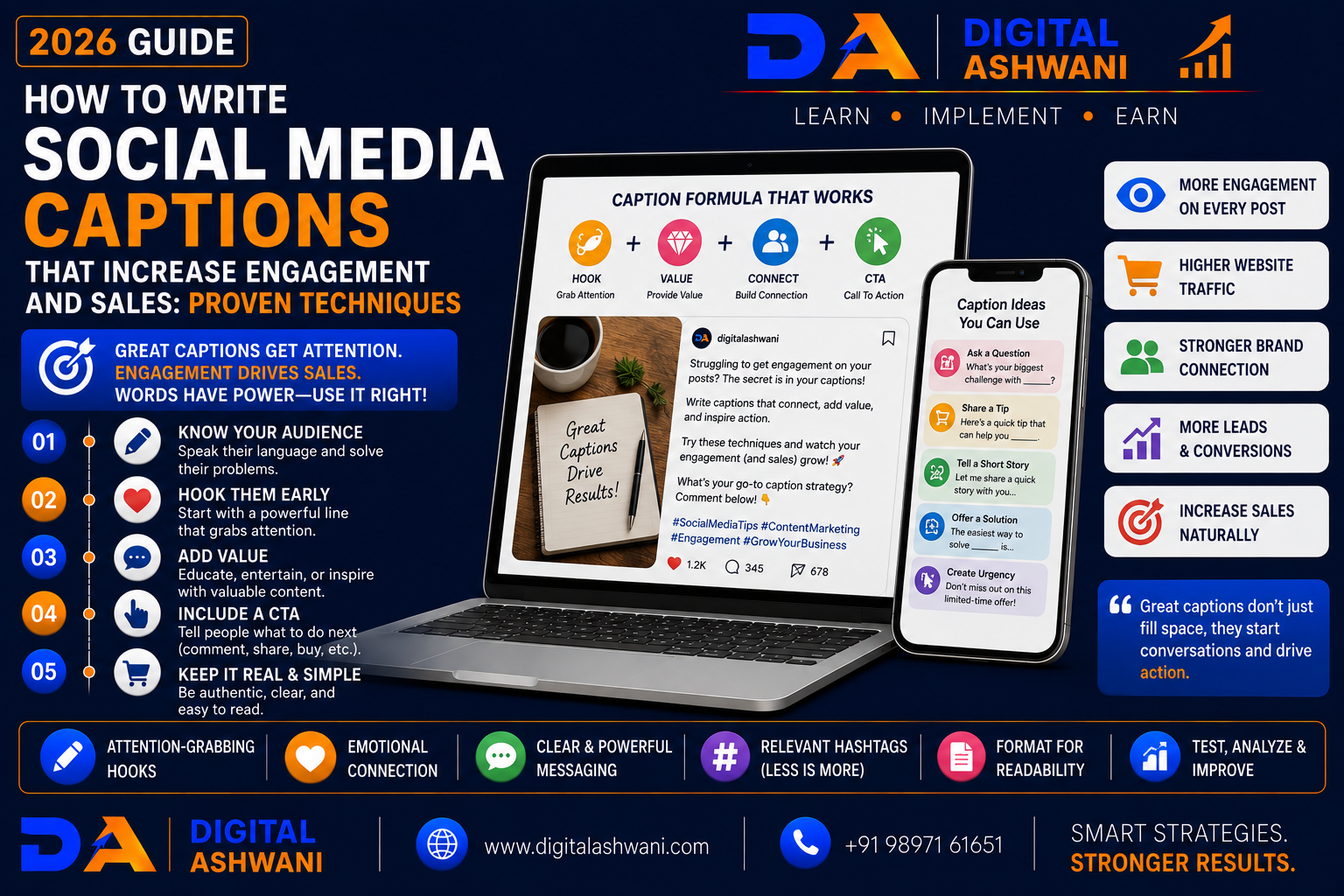
How to Write Social Media Captions That Increase Engagement and Sales
Creating eye-catching visuals is only one part of successful social media marketing. The caption beneath your image, video, Reel, or carousel often determines whether users stop scrolling, engage with your content, or become paying customers.
A well-written caption captures attention, builds trust, encourages conversations, and motivates users to take action. Whether your goal is increasing comments, generating website traffic, collecting leads, or driving sales, strong copywriting plays a critical role.
Businesses that consistently publish valuable captions often experience higher engagement, stronger brand loyalty, and better conversion rates than those relying only on visuals.
In this comprehensive guide by Digital Ashwani, you’ll learn 15 proven caption writing techniques that help increase engagement, improve customer interaction, and generate more sales through social media in 2026.
Why Social Media Captions Matter
Captions help businesses:
- Capture Attention
- Explain Value
- Build Trust
- Encourage Engagement
- Generate Leads
- Increase Sales
Good captions give context to your visuals and guide users toward meaningful actions.
Benefits of Strong Social Media Captions
Effective captions can help:
- Increase Reach
- Improve Engagement
- Generate Website Traffic
- Increase Comments
- Encourage Shares
- Build Brand Authority
- Improve Customer Relationships
- Increase Conversions
Caption Writing Formula
A high-performing caption usually follows this structure:
- Attention-Grabbing Hook
- Valuable Information
- Social Proof or Story
- Clear Call-to-Action
This simple structure keeps readers interested from beginning to end.
15 Proven Caption Writing Techniques
1. Start with a Powerful Hook
Capture Attention Immediately
The first sentence should make users stop scrolling.
Examples include:
- Ask a Question
- Share a Surprising Fact
- Present a Common Problem
- Make a Bold Statement
A strong opening increases the likelihood that users will continue reading.
2. Focus on Customer Benefits
Explain What’s in It for Them
Instead of listing features, explain how your product or service solves customer problems.
Benefit-focused captions generate stronger engagement.
3. Tell Short Stories
Build Emotional Connection
Stories help audiences relate to your brand.
Share:
- Customer Success Stories
- Behind-the-Scenes Moments
- Business Journey
- Real Experiences
Authentic storytelling increases trust.
4. Keep the Caption Easy to Read
Improve Readability
Use:
- Short Paragraphs
- Bullet Points
- Line Breaks
- Simple Language
Well-formatted captions are easier to consume.
5. Ask Questions
Encourage Conversations
Questions encourage comments.
Examples:
- What’s your biggest challenge?
- Which option would you choose?
- Have you experienced this?
Higher engagement often improves organic reach.
6. Include a Clear Call-to-Action
Guide the Reader
Encourage actions such as:
- Comment Below
- Visit Our Website
- Send a Message
- Book Now
- Save This Post
- Share with Friends
A CTA increases conversions.
7. Use Relevant Emojis Carefully
Improve Visual Appeal
Use emojis to improve readability without overwhelming the caption.
Choose emojis that support your message and brand voice.
8. Add Relevant Hashtags
Increase Discoverability
Use targeted hashtags related to:
- Industry
- Location
- Topic
- Brand
Avoid excessive or irrelevant hashtags.
9. Write Like You’re Having a Conversation
Use a Natural Tone
Avoid sounding overly promotional or robotic.
Write captions that feel like a genuine conversation with your audience by using:
- Simple Language
- Friendly Tone
- Short Sentences
- Clear Messaging
Conversational captions are easier to read and build stronger relationships.
10. Create a Sense of Urgency
Encourage Immediate Action
When appropriate, encourage users to act now by mentioning:
- Limited-Time Offers
- Limited Availability
- Seasonal Promotions
- Registration Deadlines
- Exclusive Launches
Use urgency honestly and avoid creating false scarcity.
11. Include Social Proof
Build Trust
Strengthen your captions by mentioning:
- Customer Reviews
- Testimonials
- Success Stories
- Case Studies
- User Experiences
Social proof increases confidence and encourages more enquiries.
12. Match Your Brand Voice
Stay Consistent
Maintain the same tone across every platform.
Whether your brand voice is:
- Professional
- Friendly
- Educational
- Inspirational
- Humorous
Consistency improves brand recognition and trust.
13. Optimize Captions for Each Platform
Customize Your Content
Different platforms require different writing styles.
Examples:
- Instagram — Storytelling & Engagement
- Facebook — Community Conversations
- LinkedIn — Professional Insights
- X — Short, Direct Messages
Platform-specific optimization improves performance.
14. Analyze Caption Performance
Learn From Your Results
Track metrics such as:
- Reach
- Engagement
- Comments
- Shares
- Saves
- Click-Through Rate
- Conversions
Identify patterns and create more of the content your audience prefers.
15. Test Different Caption Styles
Continuously Improve
Experiment with:
- Questions
- Storytelling
- Educational Posts
- Promotional Offers
- Lists
- Short Captions
- Long Captions
Testing different styles helps improve engagement over time.
Social Media Caption Writing Checklist
Before publishing any post, verify the following:
- Strong Hook Written
- Customer Benefits Included
- Story or Value Added
- Readable Formatting Used
- Question Included (when appropriate)
- Clear Call-to-Action Added
- Relevant Emojis Used
- Relevant Hashtags Added
- Brand Voice Maintained
- Caption Proofread
Following this checklist helps improve engagement and conversion rates.
Common Caption Writing Mistakes
Starting with a Weak Opening
The first sentence determines whether users continue reading.
Begin with a compelling hook that captures attention immediately.
Making the Caption Too Promotional
Constant selling can reduce engagement.
Provide value before asking for a sale.
Using Large Blocks of Text
Long paragraphs are difficult to read.
Break captions into smaller sections with line spacing.
Ignoring Calls-to-Action
Without a CTA, readers may not know what action to take next.
Guide users toward comments, shares, messages, or purchases.
Never Reviewing Performance
Successful caption writing requires continuous improvement.
Monitor engagement metrics and refine your strategy based on real data.
Internal Linking Suggestions (Digital Ashwani)
Strengthen your social media marketing content cluster by linking this article with:
- Social Media Marketing vs Digital Marketing: Key Differences Explained Clearly
- Facebook Organic Marketing Tips to Grow Your Business Without Paid Ads
- What Is Meta Business Suite?
- Complete YouTube Marketing Guide for Business Growth and Brand Awareness
- Instagram Marketing for Beauty Businesses
- What Is Reach vs Impressions?
- What Is Organic Reach?
- Website Conversion Rate Optimization Guide
- What Is ChatGPT for Marketing?
- What Is Artificial Intelligence (AI) in Digital Marketing?
These internal links strengthen topical authority while helping readers explore social media marketing, content creation, AI marketing, engagement strategies, and conversion optimization.
External Resources
For trusted social media marketing guidance, explore:
- Meta Business Help Center
- Meta Blueprint
- LinkedIn Marketing Solutions
- Google Analytics Help Center
- HubSpot Academy
These official resources provide practical guidance on content marketing, social media management, analytics, and digital marketing best practices.
Frequently Asked Questions
Why are social media captions important?
Captions provide context, encourage engagement, communicate your value proposition, and guide users toward actions such as commenting, sharing, visiting your website, or making a purchase.
How long should a social media caption be?
The ideal length depends on the platform and audience. Some posts perform well with short captions, while educational or storytelling content may benefit from longer captions. Focus on delivering value rather than meeting a specific word count.
Do captions help increase sales?
Yes. Well-written captions build trust, explain benefits, address customer pain points, and include clear calls-to-action that encourage enquiries and purchases.
Should every caption include hashtags?
Use relevant hashtags where appropriate. Choose quality over quantity and ensure hashtags match your topic, audience, and platform.
How can I improve social media engagement?
Create valuable content, write compelling captions, ask questions, encourage conversations, respond to comments, publish consistently, and analyze performance to improve future posts.
Final Thoughts
Learning How to Write Social Media Captions That Increase Engagement and Sales is an essential skill for businesses that want to build stronger customer relationships and improve marketing results. Great captions do much more than describe an image—they capture attention, tell meaningful stories, communicate value, inspire conversations, and encourage action.
Rather than focusing only on promotional messages, create captions that educate, entertain, solve problems, and genuinely connect with your audience. When combined with high-quality visuals, consistent branding, and a clear content strategy, effective captions can significantly increase reach, engagement, enquiries, and sales.
At Digital Ashwani, we regularly publish practical guides on Social Media Marketing, AI Marketing, SEO, Google Ads, Content Marketing, Copywriting, and Digital Marketing to help businesses create content that drives measurable growth.
