

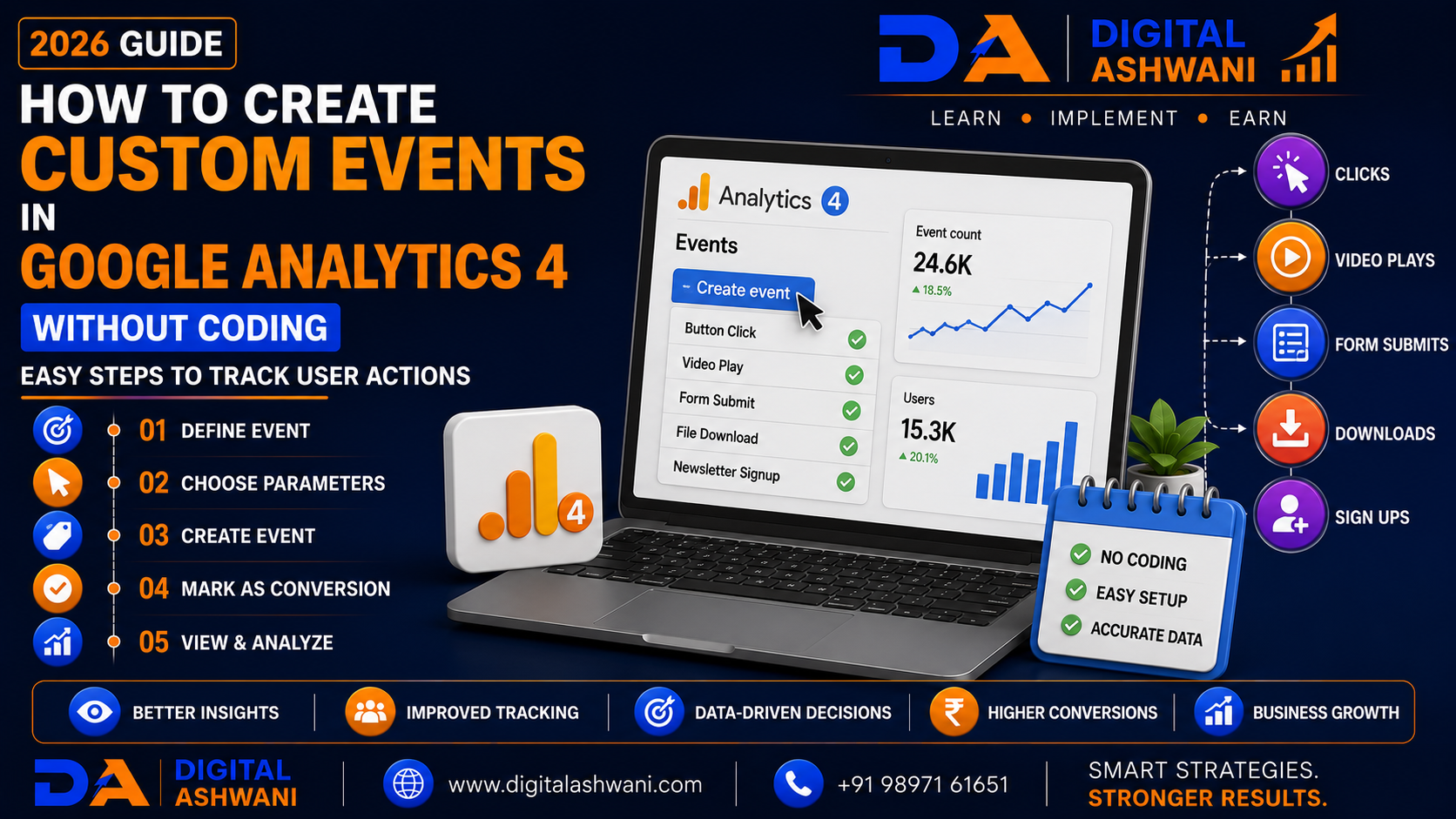
How to Create Custom Events in Google Analytics 4 Without Coding
Understanding how visitors interact with your website is one of the most important parts of digital marketing. While Google Analytics 4 (GA4) automatically tracks many user actions, businesses often need to measure specific interactions such as button clicks, form submissions, file downloads, video engagement, or thank-you page visits.
The good news is that many of these events can be created directly inside Google Analytics 4 without editing your website’s source code. This allows marketers, business owners, and SEO professionals to collect valuable insights without requiring developer support.
Whether you run an eCommerce store, local business, SaaS platform, educational website, or agency, custom events help you understand user behavior and optimize your marketing campaigns more effectively.
In this comprehensive guide by Digital Ashwani, you’ll learn 15 easy ways to create custom events in Google Analytics 4 without coding, helping you improve reporting, measure conversions, and make better data-driven decisions in 2026.
What Are Custom Events in Google Analytics 4?
Custom events are user interactions that you define to track activities that are important to your business.
Examples include:
- Contact Form Submission
- Newsletter Signup
- Button Click
- PDF Download
- WhatsApp Click
- Phone Call Click
- Video Completion
- Appointment Booking
Unlike Universal Analytics, GA4 uses an event-based data model, making event tracking more flexible and detailed.
Why Custom Events Matter
Custom events help businesses understand exactly how users interact with their websites.
They provide insights into:
- User Behavior
- Customer Journey
- Lead Generation
- Conversion Paths
- Marketing Performance
- Website Engagement
These insights support better optimization and smarter business decisions.
Benefits of Custom Event Tracking
A well-configured GA4 property helps businesses:
- Measure Important Actions
- Improve Conversion Tracking
- Understand Customer Behavior
- Optimize Marketing Campaigns
- Improve Website UX
- Generate Better Reports
- Increase ROI
- Support Data-Driven Decisions
15 Easy Steps to Create Custom Events Without Coding
1. Enable Google Analytics 4
Before creating events, ensure your GA4 property is properly installed and receiving data.
Verify:
- Tracking Code Installed
- Data Stream Active
- Real-Time Reports Working
- Enhanced Measurement Enabled
A properly configured property ensures accurate event collection.
2. Understand Automatically Collected Events
GA4 already tracks many interactions automatically.
Examples include:
- Page Views
- Scrolls
- Outbound Clicks
- Site Search
- Video Engagement
- File Downloads
Review existing events before creating new ones to avoid duplication.
3. Identify the Events You Need
List the user actions that matter most to your business.
Examples:
- Contact Form Submission
- Quote Request
- Demo Booking
- Purchase Confirmation
- WhatsApp Click
- Newsletter Signup
Clear goals make reporting more meaningful.
4. Navigate to the Events Section
Within your GA4 property:
- Open Admin
- Select Events
- Review Existing Events
- Choose Create Event
This interface allows you to define new events based on existing event conditions.
5. Create a New Custom Event
Use the Create Event feature to define:
- Event Name
- Matching Conditions
- Event Parameters
Choose descriptive naming conventions that remain consistent across your property.
6. Configure Event Conditions
Specify when the event should trigger.
Conditions may include:
- Page Location
- Event Name
- Click URL
- Page Title
- Referrer
- Screen Class
Carefully defined conditions help improve data accuracy.
7. Test Your Custom Event
After saving the event:
- Open DebugView
- Visit Your Website
- Trigger the Action
- Confirm the Event Appears
Testing ensures your configuration is working correctly before using the data for reporting.
8. Mark Important Events as Conversions
If an event represents a valuable business action, mark it as a conversion.
Examples include:
- Lead Submission
- Appointment Booking
- Purchase
- Contact Request
Conversion events help evaluate marketing performance more effectively.
9. Use Meaningful Event Names
Well-structured event names make reports easier to understand.
Follow a consistent naming convention such as:
- form_submit
- book_appointment
- whatsapp_click
- download_brochure
- newsletter_signup
- request_quote
Avoid vague names like:
- Event1
- Test
- Click123
Clear naming improves reporting and long-term analytics management.
10. Add Useful Event Parameters
Event parameters provide additional context about user actions.
Examples include:
- Page Title
- Button Text
- Link URL
- Form Name
- Product Category
- Service Name
- Device Type
Detailed parameters allow you to create more meaningful reports and audience segments.
11. Verify Events with DebugView
Before relying on event data, confirm that events are firing correctly.
Use GA4 DebugView to:
- Validate Event Triggers
- Review Event Parameters
- Identify Configuration Errors
- Test User Journeys
- Confirm Conversion Tracking
Always test new events before publishing major campaigns.
12. Analyze Event Reports Regularly
Collecting data is only valuable if you review it.
Monitor reports such as:
- Event Count
- Active Users
- Conversions
- Engagement Rate
- User Paths
- Landing Pages
- Traffic Sources
- Revenue (for eCommerce)
Regular reporting helps identify optimization opportunities.
13. Use AI to Interpret Analytics Data
Artificial Intelligence can simplify analytics analysis.
AI can help with:
- Trend Detection
- Report Summaries
- Traffic Analysis
- Conversion Insights
- Marketing Recommendations
- Content Performance Reviews
AI should complement—not replace—your own analysis and business understanding.
14. Review and Update Events Periodically
Your website evolves over time.
Review your event setup whenever you:
- Add New Pages
- Launch New Services
- Update Forms
- Change Landing Pages
- Modify Navigation
- Introduce New Marketing Campaigns
Keeping events updated ensures accurate reporting.
15. Build a Complete Measurement Strategy
Custom events should support your business objectives.
Track actions that contribute to goals such as:
- Lead Generation
- Appointment Bookings
- Product Purchases
- Newsletter Signups
- Quote Requests
- File Downloads
A structured measurement plan helps connect analytics data with real business outcomes.
GA4 Custom Event Setup Checklist
Before considering your implementation complete, verify the following:
- GA4 Property Installed
- Enhanced Measurement Enabled
- Required Events Identified
- Custom Events Created
- Event Names Standardized
- Event Parameters Configured
- DebugView Tested
- Conversions Marked
- Reports Verified
- Monthly Analytics Review Scheduled
This checklist helps maintain a reliable and scalable GA4 implementation.
Common GA4 Event Tracking Mistakes
Creating Duplicate Events
Avoid creating custom events that already exist through automatic or enhanced measurement tracking.
Using Confusing Event Names
Consistent naming conventions make reports easier to understand and maintain over time.
Skipping DebugView Testing
Always verify event behavior before using the collected data for optimization or reporting.
Tracking Too Many Unimportant Events
Focus on interactions that directly support your marketing objectives and business goals.
Ignoring Conversion Configuration
Important business actions should be marked as conversions so they can be measured across reports and advertising platforms.
Internal Linking Suggestions (Digital Ashwani)
Strengthen your analytics content cluster by linking this article with:
- What Is Google Analytics 4 and Why Every Business Should Use It?
- Ultimate Analytics and Tracking Guide for Long-Term Business Growth
- What Is First-Party Data? Why It Matters for Modern Marketing
- Complete Google Search Ads Campaign Setup Guide for Better Lead Generation
- Complete Google Display Ads Guide for Brand Awareness and Remarketing
- What Is Cost Per Click (CPC)?
- What Are Negative Keywords?
- How to Increase Website Conversion Rates Using Data-Driven Optimization Methods
- What Is Artificial Intelligence (AI) in Digital Marketing?
- AI SEO: How Artificial Intelligence Can Improve Your Search Engine Rankings
These internal links strengthen topical authority while helping readers explore related Google Analytics, Google Ads, SEO, AI, and conversion optimization topics.
External Resources
For trusted GA4 guidance, explore:
- Google Analytics Help Center
- Google Analytics Developer Documentation
- Google Tag Manager Help Center
- Google Search Central
- Google Skillshop
These official resources provide up-to-date documentation, tutorials, and best practices for analytics implementation and reporting.
Frequently Asked Questions
Can I create custom events in GA4 without coding?
Yes. Google Analytics 4 allows many custom events to be created directly through the Create Event feature in the Admin section, without modifying your website’s source code.
What is the difference between an event and a conversion in GA4?
An event records a user interaction, while a conversion is an event that has been marked as an important business action, such as a purchase, lead submission, or appointment booking.
Do custom events appear immediately?
You can usually verify new events using DebugView shortly after configuration. Standard reports may take additional time to process and display new data.
Should every event be marked as a conversion?
No. Only events that represent meaningful business goals should be marked as conversions. Marking every event as a conversion can make reporting less useful.
Can GA4 custom events improve marketing performance?
Yes. Well-configured custom events help measure user behavior, identify high-performing campaigns, optimize conversion funnels, and support better marketing decisions.
Final Thoughts
Learning How to Create Custom Events in Google Analytics 4 Without Coding enables businesses to measure the interactions that truly matter without depending on complex website development. A well-planned event strategy provides deeper insight into user behavior, helps identify conversion opportunities, and supports smarter marketing decisions.
By creating meaningful custom events, using descriptive event names, adding useful parameters, testing implementations with DebugView, and regularly reviewing analytics reports, businesses can build a reliable measurement framework that grows alongside their website.
As digital marketing becomes increasingly data-driven, organizations that invest in accurate analytics and continuous optimization will be better equipped to improve user experiences, maximize campaign performance, and achieve sustainable long-term growth.
At Digital Ashwani, we regularly publish practical guides on Google Analytics, SEO, Google Ads, AI Marketing, Conversion Rate Optimization, Social Media Marketing, and Digital Marketing to help businesses make better decisions through data.
