

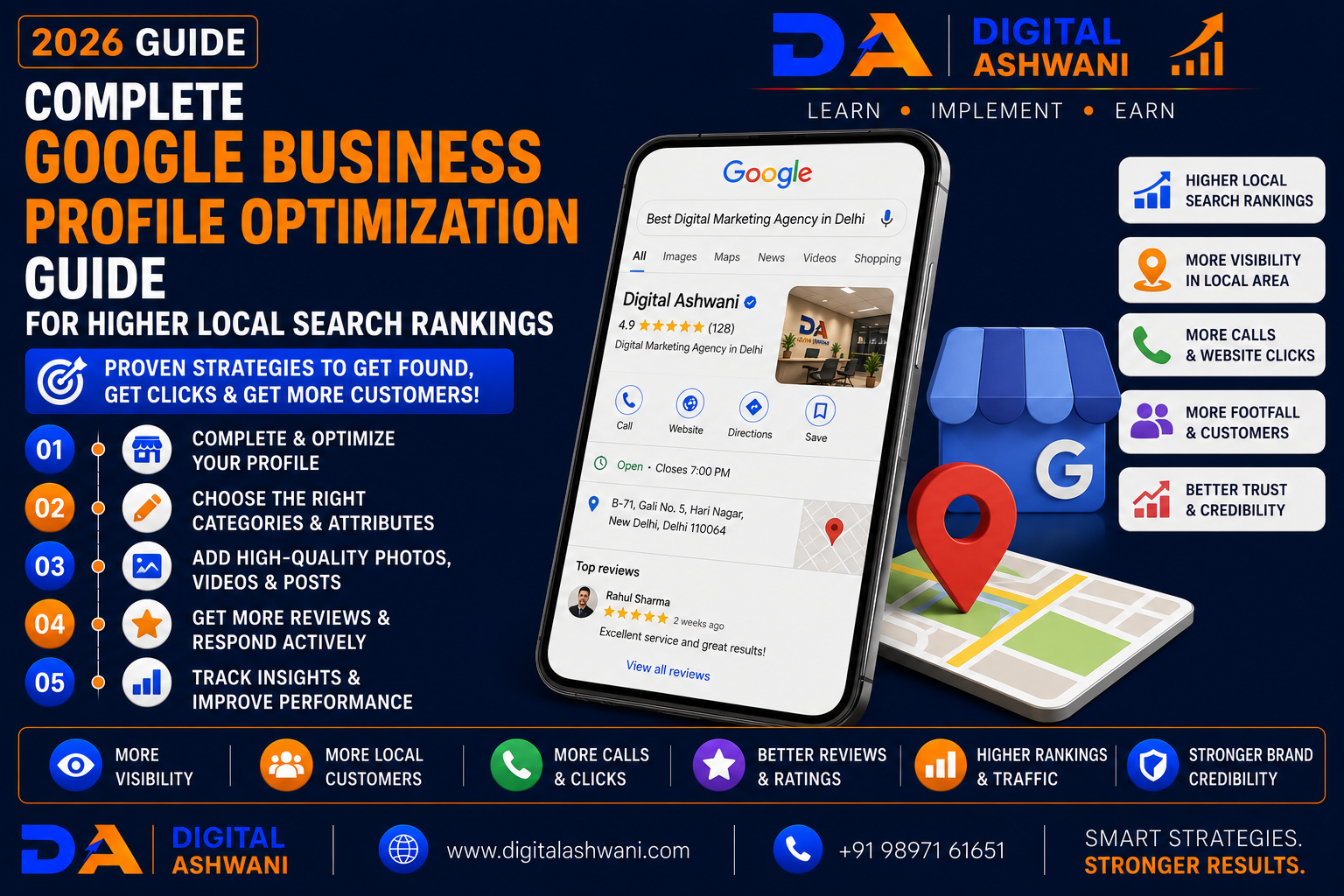
Complete Google Business Profile Optimization Guide for Higher Local Search Rankings
For businesses that depend on local customers, appearing prominently in Google Search and Google Maps can significantly influence enquiries, phone calls, website visits, and sales. Whether you own a restaurant, clinic, law firm, salon, gym, real estate agency, hotel, or retail store, your Google Business Profile (GBP) is one of the most valuable local marketing assets.
When people search for services like:
- Restaurant Near Me
- Dentist in Delhi
- Best Gym Near Me
- Digital Marketing Agency
- Travel Agency Near Me
Google often displays local business listings before traditional organic search results.
An incomplete or poorly optimized Google Business Profile can reduce your visibility, while a fully optimized profile improves trust, local rankings, and customer engagement.
In this comprehensive guide by Digital Ashwani, you’ll learn 15 proven Google Business Profile optimization strategies to improve local search rankings and attract more customers in 2026.
What Is Google Business Profile?
Google Business Profile is a free business listing that allows companies to appear in:
- Google Search
- Google Maps
- Local Pack Results
- Knowledge Panels
It helps customers quickly find your:
- Business Name
- Address
- Phone Number
- Website
- Business Hours
- Reviews
- Photos
- Services
Why Google Business Profile Matters
A well-optimized profile helps businesses:
- Improve Local Rankings
- Increase Phone Calls
- Generate Website Traffic
- Drive Store Visits
- Build Customer Trust
- Improve Brand Visibility
It is one of the strongest foundations of Local SEO.
Benefits of Google Business Profile Optimization
Effective optimization helps businesses:
- Rank Higher in Google Maps
- Increase Local Visibility
- Generate Qualified Leads
- Improve Customer Engagement
- Increase Direction Requests
- Build Online Credibility
- Support Local SEO
- Increase Sales Opportunities
15 Proven Google Business Profile Optimization Strategies
1. Complete Every Profile Section
Ensure your profile includes:
- Business Name
- Address
- Phone Number
- Website
- Business Hours
- Business Description
- Services
- Products
Complete profiles provide better information for both users and Google.
2. Choose the Correct Primary Category
Your primary category strongly influences local rankings.
Select the category that best describes your core business.
Add relevant secondary categories where appropriate.
3. Maintain Consistent NAP Information
Your:
- Name
- Address
- Phone Number
should remain identical across:
- Website
- Google Business Profile
- Business Directories
- Social Media Profiles
Consistency strengthens local trust signals.
4. Write an Optimized Business Description
Include information about:
- Services
- Experience
- Location
- Unique Selling Points
- Customer Benefits
Keep the description natural and informative.
5. Upload High-Quality Photos
Regularly upload:
- Exterior Photos
- Interior Photos
- Team Photos
- Products
- Services
- Office Images
Fresh photos improve engagement and customer confidence.
6. Encourage Genuine Customer Reviews
Request honest reviews from satisfied customers.
Positive reviews improve:
- Trust
- Click-Through Rate
- Local Visibility
- Customer Confidence
Always follow Google’s review policies.
7. Respond to Every Review
Reply professionally to:
- Positive Reviews
- Neutral Reviews
- Negative Reviews
Thoughtful responses demonstrate excellent customer service.
8. Publish Google Business Profile Posts
Share regular updates such as:
- Promotions
- Events
- New Services
- Business News
- Educational Tips
- Seasonal Offers
Active profiles often receive stronger engagement.
9. Add All Services and Products
Many businesses leave service sections incomplete.
Add detailed information about:
- Services Offered
- Products Available
- Pricing (if appropriate)
- Service Areas
- Special Features
A complete profile helps Google better understand your business and improves customer experience.
10. Keep Business Hours Updated
Accurate business hours prevent customer frustration.
Update:
- Regular Hours
- Holiday Hours
- Special Events
- Seasonal Timings
Keeping hours current improves trust and customer satisfaction.
11. Use the Questions & Answers Section
Monitor and manage your Q&A section.
Add answers to common questions such as:
- Pricing Information
- Appointment Process
- Service Availability
- Parking Information
- Payment Methods
This helps potential customers find information quickly.
12. Optimize for Google Maps Rankings
Google Maps visibility depends on three key factors:
Relevance
How closely your profile matches the user’s search.
Distance
How close your business is to the searcher.
Prominence
How well-known and trusted your business appears online.
Improving reviews, citations, and local authority strengthens prominence.
13. Build Local Citations
List your business consistently across:
- Local Directories
- Industry Directories
- Business Listings
- Maps Platforms
Consistent citations reinforce local trust signals.
14. Monitor Performance Through GBP Insights
Review your Google Business Profile performance regularly.
Track:
- Search Views
- Maps Views
- Website Clicks
- Phone Calls
- Direction Requests
- Photo Views
These insights help identify opportunities for improvement.
15. Integrate GBP With Your Local SEO Strategy
Your Google Business Profile should work alongside:
- Local SEO
- On-Page SEO
- Content Marketing
- Review Management
- Citation Building
- Link Building
A complete local SEO strategy delivers stronger long-term results.
Google Business Profile Optimization Checklist
Before evaluating your profile, verify the following:
- Profile Fully Completed
- Correct Categories Selected
- NAP Information Consistent
- Business Description Optimized
- Services Added
- Products Added
- Reviews Collected
- Reviews Answered
- Photos Updated
- GBP Insights Reviewed
Following this checklist improves local visibility and customer engagement.
Common Google Business Profile Mistakes
Using Inconsistent Business Information
Different business names, addresses, or phone numbers across platforms can weaken local trust signals.
Ignoring Customer Reviews
Reviews influence both rankings and customer decisions.
Respond professionally and consistently.
Uploading Low-Quality Photos
Blurry or outdated images reduce credibility.
Use professional and regularly updated visuals.
Not Posting Updates
Inactive profiles often receive less engagement.
Share updates regularly.
Choosing Incorrect Categories
The wrong category can reduce visibility for relevant searches.
Review categories carefully and update when needed.
Internal Linking Suggestions (Digital Ashwani)
Strengthen your Local SEO content cluster by linking this article with:
- Complete Beginner’s Guide to Local SEO
- Local SEO Strategies for Restaurants to Increase Customer Visits
- Local SEO Strategies for Dental Clinics to Rank Higher on Google Maps
- Local SEO Tips for Real Estate Agencies
- Local SEO Tips for Gym Membership Growth
- How to Recover a Suspended Google Business Profile Without Losing Rankings
- Top On-Page SEO Techniques to Improve Rankings and Organic Website Traffic
- How Search Engines Crawl, Index, and Rank Websites
- Website Conversion Rate Optimization Guide
- Top Digital Marketing Trends in 2026
These internal links strengthen topical authority while helping readers understand Local SEO, Google Maps optimization, website optimization, and lead generation strategies.
External Resources
For trusted Google Business Profile guidance, refer to:
- Google Business Profile Help
- Google Search Central
- Google Search Console Help
- Google Analytics Help Center
- Google Maps Help
These official resources provide current recommendations for local visibility, business listings, search optimization, and customer engagement.
Frequently Asked Questions
What is Google Business Profile Optimization?
Google Business Profile Optimization is the process of improving your business listing to increase visibility in Google Search and Google Maps while attracting more local customers.
How does Google Business Profile help Local SEO?
A well-optimized profile improves relevance, trust, and local visibility, increasing the likelihood of appearing in local search results and Google Maps.
How often should I update my Google Business Profile?
Review and update your profile regularly, especially when business hours, services, contact information, or promotions change.
Do reviews affect Google Maps rankings?
Reviews contribute to trust and prominence signals, which can influence local search visibility and customer decisions.
Can Google Business Profile generate leads?
Yes. A properly optimized profile can increase phone calls, website visits, direction requests, appointment bookings, and local enquiries.
Final Thoughts
A strong Google Business Profile Optimization strategy is one of the most effective ways to improve local search visibility and attract nearby customers. By maintaining accurate business information, collecting authentic reviews, publishing regular updates, optimizing services, monitoring insights, and integrating GBP with your broader Local SEO strategy, businesses can significantly improve their Google Maps presence and customer engagement.
Rather than treating your Google Business Profile as a one-time setup, view it as an ongoing marketing asset. Consistent optimization, customer interaction, and profile management help strengthen local rankings and generate sustainable business growth.
Businesses that actively manage their profiles are better positioned to earn trust, increase visibility, and outperform local competitors in Google Search and Google Maps.
At Digital Ashwani, we regularly publish practical guides on Local SEO, Google Business Profile, AI SEO, Google Ads, Analytics, and Digital Marketing to help businesses generate qualified leads and achieve long-term online growth.
