

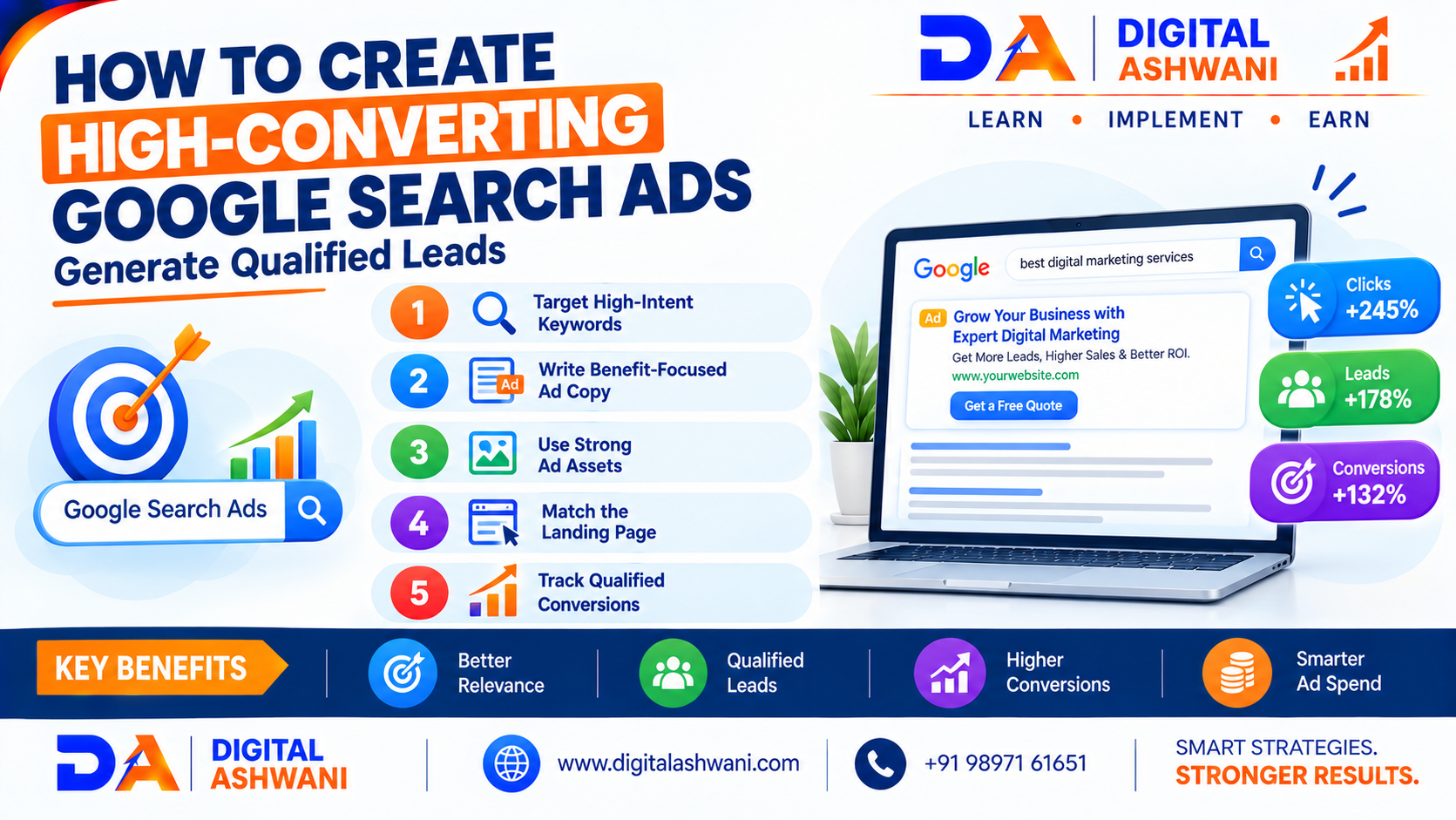
How to Create High-Converting Google Search Ads That Generate Qualified Leads
Google Search Ads can help businesses reach people who are actively searching for their products or services. But getting clicks is only one part of a successful advertising campaign.
The real objective for many businesses is to attract qualified leads who are genuinely interested in making a purchase, requesting a quote, booking a service, or contacting the business.
A high-converting Google Search Ad connects four important elements:
Search Intent → Keyword → Ad Copy → Landing Page
When these elements are properly aligned, businesses can create a better experience for users and improve the chances of generating valuable leads.
Google recommends using Responsive Search Ads with relevant headlines and descriptions so its systems can test different combinations and match messaging to users’ searches.
Understand Search Intent Before Writing Your Ad
Before creating an advertisement, understand what the user is actually looking for.
For example, someone searching for:
“SEO agency for small business”
has a different intent from someone searching:
“What is SEO?”
The first search may indicate commercial intent, while the second is primarily informational.
Identify Different Search Intent
Consider keywords with:
- Informational intent
- Commercial intent
- Transactional intent
- Local intent
For lead generation campaigns, keywords showing stronger commercial or transactional intent can be particularly relevant.
Choose High-Intent Keywords
Your keywords determine which searches can trigger your advertisements.
Instead of focusing only on high search volume, look for keywords that are closely connected to your products or services.
For example, a web development company could target terms such as:
- website development company
- business website development
- ecommerce website development
- website development services
- website developer near me
Focus on Relevance
A keyword should closely match the service you are promoting.
If your landing page offers ecommerce website development, sending users searching for unrelated website topics may reduce lead quality.
Create Specific Ad Groups
Avoid putting completely different services into one generic ad group.
For example, a digital marketing agency could create separate ad groups for:
- SEO Services
- Google Ads Management
- Social Media Marketing
- Website Development
Google recommends organizing keywords into specific, tightly themed ad groups so that advertisements can remain relevant to the searches that trigger them.
Write Relevant Google Search Ad Headlines
Your headlines are one of the first things potential customers see.
Responsive Search Ads allow advertisers to provide multiple headlines and descriptions, which Google can combine into different ad variations.
Include Your Main Keyword
For example, if your keyword is:
Google Ads Management Services
possible headlines could include:
- Google Ads Management Services
- Generate More Qualified Leads
- Google Ads Experts
- Improve PPC Campaign Results
- Get a Free Strategy Consultation
Google recommends including relevant keyword language in your messaging while keeping the copy natural and useful.
Provide Different Types of Headlines
Instead of repeating the same phrase, create headlines around:
- Keyword relevance
- Customer benefits
- Services
- Offers
- Trust factors
- Location
- Calls to action
Google currently recommends providing multiple unique headlines and descriptions so its systems have more combinations to work with.
Focus on Customer Benefits
Do not make every headline about your company.
Explain what the customer can get.
Instead of:
Digital Marketing Agency
consider:
Generate More Qualified Leads
The second message focuses more directly on the customer’s desired outcome.
Highlight Your Unique Value
Depending on your business, you could mention:
- Free consultation
- Fast response
- Local service
- Customized solutions
- Transparent pricing
- Experienced team
- Industry specialization
Only use claims that are accurate and supportable.
Use Strong Calls to Action
Tell users what they should do next.
Examples include:
- Get a Free Quote
- Request a Consultation
- Book a Consultation
- Contact Our Team
- Get Started Today
- Learn More
Google’s current guidance recommends using specific calls to action instead of generic messaging.
Add Relevant Ad Assets
Ad assets can provide additional information and opportunities for users to interact with your advertisement.
Depending on the business, consider:
- Sitelinks
- Call assets
- Location assets
- Image assets
- Callouts
- Structured snippets
- Price assets
Google recommends using relevant asset types where appropriate and keeping them connected to the business and campaign objective.
Use Sitelinks Strategically
For example, an agency could use sitelinks such as:
- SEO Services
- Google Ads Services
- Contact Us
- Get a Free Consultation
This can help users navigate directly to the most relevant page.
Build a Landing Page That Matches the Ad
A great advertisement cannot compensate for a poor landing page.
The landing page should deliver what the advertisement promised.
For example:
Ad:
“Google Ads Management for Small Businesses”
Landing Page:
A page specifically explaining Google Ads management for small businesses.
Avoid sending every advertisement to the homepage when a more relevant service page is available.
Google recommends matching the advertisement’s messaging and offer with the landing page experience.
Use Conversion Tracking
If your objective is qualified leads, measuring clicks alone is not enough.
Track valuable actions such as:
- Lead form submissions
- Phone calls
- Consultation bookings
- Quote requests
- Contact form submissions
- Purchases
Accurate conversion data can help you understand which campaigns and keywords are producing valuable actions.
Track Qualified Leads
Not every form submission is necessarily a good lead.
For example:
100 Leads → 30 Qualified Leads → 10 Customers
In this situation, optimizing only for total leads may not provide the complete picture.
Where possible, businesses should connect advertising data with lead quality and actual sales outcomes.
Optimize Your Campaign for Qualified Leads
Once your campaign has enough reliable conversion data, evaluate which searches, keywords, ads, and landing pages are producing meaningful business results.
Look beyond:
- Impressions
- Clicks
- CTR
Also monitor:
- Conversion rate
- Cost per lead
- Qualified lead rate
- Cost per qualified lead
- Sales
- Revenue
- Return on ad spend
This helps shift the focus from more traffic to better business outcomes.
Test and Improve Your Ads
Google Search Ads should not be treated as a set-and-forget marketing channel.
Review your campaign regularly.
Test Different Messages
You can test different approaches such as:
Benefit-focused:
“Generate More Qualified Leads”
Service-focused:
“Google Ads Management Services”
Offer-focused:
“Get a Free Google Ads Consultation”
Location-focused:
“Google Ads Agency in Delhi”
Compare the results and continue developing messaging based on meaningful performance data.
Google recommends evaluating and refining Responsive Search Ads and their assets over time.
Common Mistakes to Avoid
Using Generic Ad Copy
Generic advertisements may fail to clearly communicate why users should choose your business.
Targeting Irrelevant Searches
Regularly review search terms and add negative keywords where appropriate.
Sending Traffic to an Unrelated Page
The landing page should closely match the advertisement and search intent.
Focusing Only on Clicks
Clicks are useful, but qualified leads and sales are more closely connected to business outcomes.
Using Repetitive Headlines
Google recommends providing diverse, unique assets rather than multiple headlines that communicate essentially the same message.
Frequently Asked Questions
What makes a Google Search Ad high converting?
A relevant keyword, clear message, strong benefit, specific call to action, relevant assets, and a matching landing page can contribute to a more effective Search Ad.
How can Google Ads generate qualified leads?
Use high-intent keywords, specific ad groups, relevant advertisements, strong landing pages, accurate conversion tracking, and regular optimization.
How many headlines should I use in a Responsive Search Ad?
Google currently allows up to 15 headlines and 4 descriptions in a Responsive Search Ad. Google recommends providing multiple unique assets to give its systems more combinations to test.
Should I use keywords in my ad headlines?
Relevant keyword language can help connect the advertisement with the user’s search. However, it should be written naturally rather than forcing keywords into every headline.
What is more important: clicks or leads?
For a lead-generation campaign, qualified leads and eventual sales are generally more meaningful business outcomes than clicks alone.
Final Thoughts
Creating high-converting Google Search Ads requires more than writing attractive headlines.
Businesses need to understand search intent, select relevant keywords, organize specific ad groups, create useful Responsive Search Ads, use relevant assets, build matching landing pages, and track meaningful conversions.
The most important principle is to keep the entire customer journey connected:
Search Query → Keyword → Ad → Landing Page → Conversion → Qualified Lead
By continuously reviewing campaign data and improving each stage, businesses can build Google Search campaigns that focus not just on generating clicks, but on attracting people who are genuinely interested in their products or services.
