

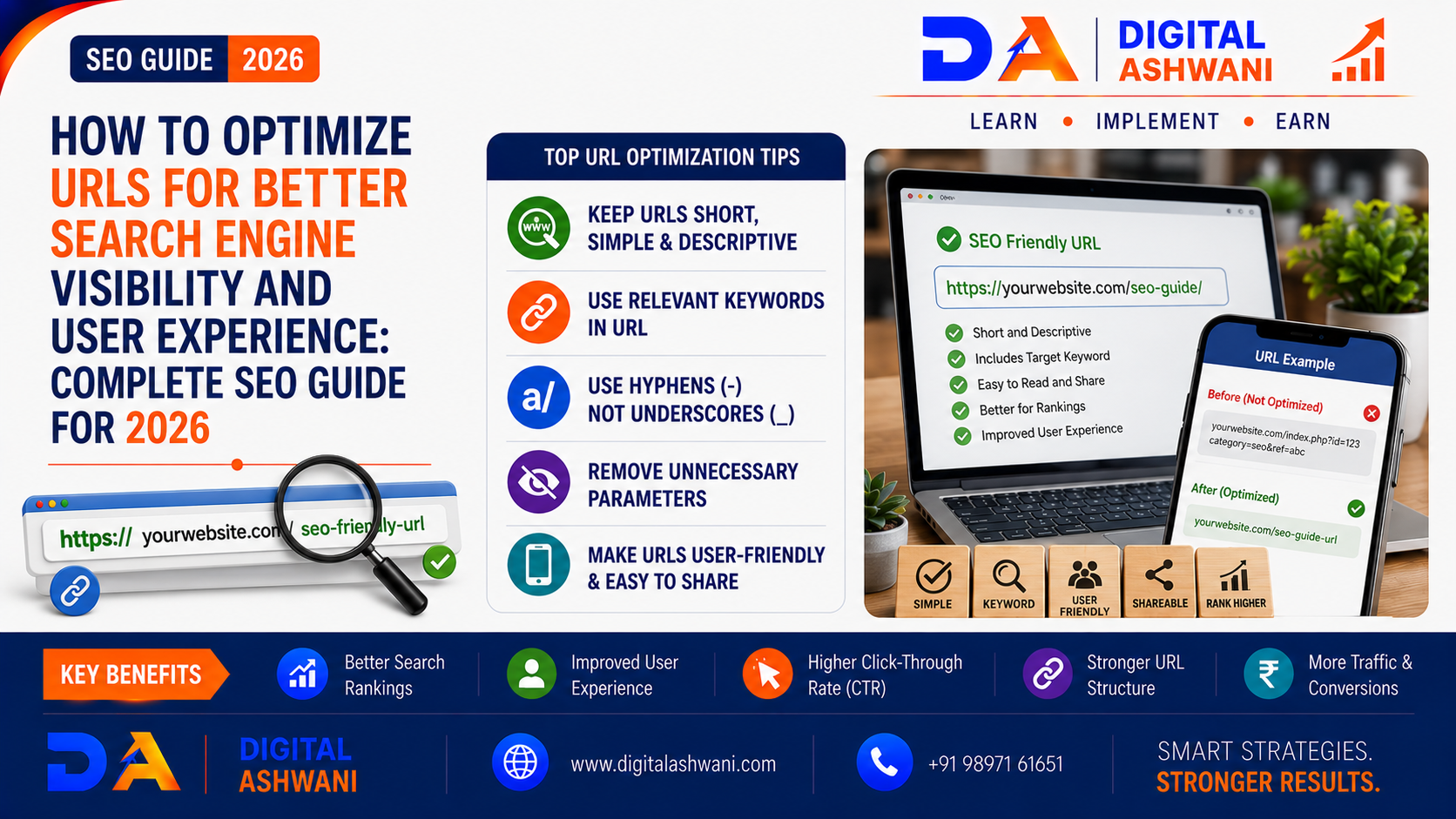
How to Optimize URLs for Better Search Engine Visibility and User Experience
URLs are one of the most overlooked elements of SEO.
Many website owners focus heavily on keywords, content, backlinks, page speed, and technical SEO while ignoring the structure of their website URLs.
A poorly structured URL can be confusing for users and difficult to understand.
For example:
example.com/page?id=84729
is much less descriptive than:
example.com/seo-friendly-url-guide
A clean and descriptive URL immediately gives users and search engines a better idea of what the page is about.
URL optimization is therefore an important part of creating a website that is easy to understand, navigate, crawl, and maintain.
In this practical guide by Digital Ashwani, you’ll learn how to create SEO-friendly URLs, improve URL structure, avoid common mistakes, manage URL changes, and build a cleaner website architecture in 2026.
What Is URL Optimization?
URL optimization is the process of creating website URLs that are:
- Clear
- Descriptive
- Concise
- Easy to Read
- Easy to Share
- Relevant to the Page
- Consistent With Website Structure
An optimized URL helps users understand where they are on a website and gives search engines additional context about the page.
URL optimization is only one part of SEO, however. A descriptive URL by itself does not guarantee higher rankings.
Why URL Structure Matters for SEO
Search engines need to crawl and understand websites efficiently.
A logical URL structure can help communicate:
- Page Topic
- Website Hierarchy
- Content Relationships
- Category Structure
For users, readable URLs can also improve trust and make links easier to understand before clicking.
Consider:
example.com/blog/seo/url-optimization
versus:
example.com/p=12345&cat=7
The first URL provides much more context.
Create Short and Descriptive URLs
One of the simplest URL optimization practices is keeping URLs concise.
Avoid unnecessary words and complicated structures.
Poor Example
example.com/blog/article-about-the-best-ways-to-optimize-your-website-urls-for-search-engines
Better Example
example.com/seo-friendly-urls
The goal isn’t to make every URL extremely short.
The goal is to remove unnecessary complexity while keeping the URL meaningful.
Include the Primary Topic When Relevant
A URL can include a relevant keyword or topic when it naturally describes the page.
For example:
example.com/shopify-seo
or:
example.com/google-ads-guide
This can help users understand the page topic.
Avoid Keyword Stuffing
Don’t create URLs such as:
example.com/seo-seo-services-best-seo-company-seo
A URL should describe the page naturally rather than attempting to manipulate rankings.
Use Hyphens Between Words
Use hyphens to separate words in readable URLs.
Example:
example.com/seo-friendly-urls
Avoid creating difficult-to-read structures such as:
example.com/seofriendlyurls
or unnecessarily complicated separators.
Keep URLs in Lowercase
Use lowercase URLs consistently.
For example:
example.com/seo-guide
is preferable to creating multiple variations such as:
example.com/SEO-Guide
and:
example.com/seo-guide
Consistency can help avoid unnecessary URL duplication and confusion.
Avoid Unnecessary URL Parameters
Some websites generate URLs containing parameters such as:
?utm_source=facebook
or:
?sort=price
Parameters can be useful for tracking, filtering, sorting, and other functions.
The problem occurs when websites create large numbers of unnecessary URL variations that search engines can discover.
Don’t Remove Useful Parameters Blindly
Not every parameter is bad.
Before changing parameter-based URLs, understand what the parameters do and whether they are required for the website’s functionality.
Create a Logical URL Structure
Your URL structure should reflect your website architecture when appropriate.
For example:
example.com/blog/seo/url-optimization
or:
example.com/products/running-shoes
This can help users understand the relationship between pages.
However, don’t add unnecessary directory levels just to make URLs appear more organized.
Use Consistent URL Structures
Choose a structure and maintain it.
For example, an ecommerce website might use:
example.com/products/product-name
while categories could use:
example.com/collections/category-name
The exact structure depends on the platform and website architecture.
Consistency is more important than following one universal format.
Avoid Unnecessary Dates in Evergreen URLs
If an article is intended to remain useful for several years, avoid adding dates unless they are genuinely important.
For example:
example.com/seo/url-optimization
can remain relevant even when the article is updated.
A URL such as:
example.com/2026/08/url-optimization
may become awkward if the content remains relevant for many years.
Use Canonical URLs Correctly
Canonicalization helps search engines understand which URL should be treated as the preferred version when multiple URLs represent substantially similar content.
For example, different URL variations may exist because of:
- Tracking Parameters
- Filters
- Sorting
- Session Parameters
- Duplicate Paths
A canonical URL can help communicate the preferred version.
However, canonical tags should not be treated as a universal solution for every duplicate or indexing problem.
Avoid Changing URLs Without a Reason
Once a URL has been published and established in search results, changing it unnecessarily can create additional SEO work.
A URL may already have:
- Backlinks
- Search Visibility
- Organic Traffic
- Internal Links
- Social Shares
Before changing a URL, evaluate whether the potential benefit justifies the migration effort.
Use Redirects When URLs Change
If you permanently move a page to a new URL, implement an appropriate permanent redirect.
For example:
Old:
example.com/old-seo-guide
New:
example.com/seo-guide
A redirect can help users and search engines reach the new location.
Update Internal Links
After changing a URL, update internal links so they point directly to the new destination instead of relying unnecessarily on redirects.
Avoid Redirect Chains
A redirect chain occurs when one URL redirects to another URL that redirects again.
For example:
URL A → URL B → URL C
Whenever practical, point the original URL directly to the final destination.
Fix Broken URLs
Regularly monitor your website for broken URLs.
Common causes include:
- Deleted Pages
- Incorrect Links
- URL Changes
- Website Migrations
- Typographical Errors
A broken link can create a poor user experience and may interrupt search engine crawling.
Create User-Friendly Ecommerce URLs
Ecommerce websites can contain thousands of URLs.
Keep product and category URLs descriptive.
Product Example
example.com/products/black-running-shoes
Category Example
example.com/collections/running-shoes
Avoid unnecessarily long URLs containing internal product IDs unless those IDs are genuinely required.
Optimize URLs During Website Migrations
Website migrations are one of the most important times to review URL structure.
Before launching a migration:
- Export Existing URLs
- Map Old URLs to New URLs
- Implement Redirects
- Update Internal Links
- Update XML Sitemap
- Check Canonical Tags
- Monitor Search Console
- Test Important Pages
Don’t change URLs casually during a migration simply for cosmetic reasons.
Use Descriptive URLs for Blog Posts
Blog URLs should clearly communicate the topic.
Example:
example.com/blog/shopify-seo-tips
is easier to understand than:
example.com/blog/post-92837
A descriptive URL can also make shared links easier for users to interpret.
Avoid Stop Words Only When They Add No Value
You don’t need to remove every common word from a URL.
For example:
example.com/how-to-optimize-urls
is perfectly readable.
Don’t sacrifice natural readability simply to make a URL shorter by removing words that help users understand the topic.
Make URLs Easy to Share
Readable URLs are easier to copy, remember, communicate, and recognize.
Compare:
example.com/seo/url-optimization
with:
example.com/p?id=82746&ref=xyz
The first is much easier for a user to understand.
Monitor URL Performance
Use tools such as Google Search Console and analytics platforms to identify URL-related issues.
Monitor:
- Indexed Pages
- Search Clicks
- Impressions
- CTR
- Crawl Issues
- 404 Errors
- Redirects
- Organic Traffic
When significant URL changes are made, monitor performance before and after implementation.
Common URL Optimization Mistakes
Using Random Numbers
Avoid URLs that provide no useful context when descriptive URLs are possible.
Keyword Stuffing
Don’t repeat keywords unnecessarily.
Changing URLs Too Frequently
Every URL change can create additional redirects and maintenance.
Creating Extremely Long URLs
Remove unnecessary words and directory levels.
Using Inconsistent Capitalization
Choose a consistent lowercase structure.
Ignoring Redirects
When URLs are permanently changed, don’t leave important old URLs pointing to nowhere.
Creating Duplicate URL Variations
Review filters, parameters, tracking URLs, and duplicate paths.
Ignoring Internal Links After a URL Change
Update internal links to point directly to the current URL.
URL Optimization Checklist
Before publishing or changing a URL, check:
- Short and Descriptive
- Relevant to Page Topic
- Primary Keyword Where Natural
- Lowercase
- Hyphen-Separated Words
- No Unnecessary Parameters
- Logical Website Structure
- No Keyword Stuffing
- Easy to Read
- Easy to Share
- Correct Canonical
- Appropriate Redirect Where Needed
- Internal Links Updated
- XML Sitemap Updated
- No Broken Links
- Search Console Monitoring
Internal Linking Suggestions (Digital Ashwani)
Strengthen the technical SEO content cluster by linking this article with:
- What Is Canonical URL and Why Should You Use It?
- How Search Engines Crawl, Index, and Rank Websites
- Schema Markup Guide to Improve Rich Results and Organic Click Through Rates
- Shopify SEO Tips to Increase Organic Traffic and Sales
- Product Page SEO Best Practices for Higher Conversions
- SEO Checklist for 2026
- How to Increase Website Conversion Rates Using Data-Driven Optimization Methods
- ChatGPT for SEO: How to Create High-Quality Content That Ranks
These internal links connect URL optimization with canonicalization, crawling, indexing, technical SEO, Shopify SEO, ecommerce SEO, CRO, and AI-assisted content creation.
External Resources
For current URL and technical SEO guidance, refer to official resources such as:
- Google Search Central
- Google Search Console Help
- Google Search Essentials
- Google URL Inspection Tool
- MDN Web Docs
Search engine documentation can change over time, so always check current official guidance before implementing major technical SEO changes.
Frequently Asked Questions
What is URL optimization in SEO?
URL optimization is the process of creating clear, descriptive, consistent, and user-friendly URLs that help visitors understand pages and make website structure easier to manage.
Should URLs contain keywords?
A relevant keyword can be useful when it naturally describes the page. However, keyword stuffing should be avoided.
Are shorter URLs better for SEO?
Shorter URLs can be easier to read and share, but there is no need to remove useful words simply to make a URL as short as possible. Clarity is more important than an arbitrary character count.
Should URLs use hyphens or underscores?
Hyphens are generally the clearer choice for separating words in readable URLs.
Should URLs be lowercase?
Using lowercase consistently is a good practice because some web servers can treat uppercase and lowercase URLs as different resources.
Should I change old URLs to make them SEO-friendly?
Not always. If an existing URL already performs well, changing it only for cosmetic reasons may create unnecessary migration work. Consider traffic, backlinks, rankings, and business value before changing it.
What should I do when changing a URL?
Map the old URL to the new URL, implement an appropriate permanent redirect, update internal links, update the sitemap, and monitor the change in Search Console.
Can URL structure affect user experience?
Yes. Clear URLs help users understand what a page is about and make links easier to recognize, share, and navigate.
Final Thoughts
Effective URL Optimization is about creating a website structure that is clear for both search engines and users.
A strong URL should be:
Clear → Descriptive → Consistent → Relevant → Easy to Read
Don’t obsess over making every URL extremely short.
Instead, focus on logical architecture, descriptive wording, consistent formatting, proper redirects, canonicalization, and avoiding unnecessary URL duplication.
When combined with high-quality content, technical SEO, internal linking, strong website architecture, and a good user experience, optimized URLs contribute to a cleaner and more maintainable website.
At Digital Ashwani, we regularly publish practical guides on Technical SEO, URL Optimization, Canonical URLs, Shopify SEO, Google Search, AI SEO, Ecommerce SEO, and Digital Marketing to help businesses improve their search visibility and online growth.
