

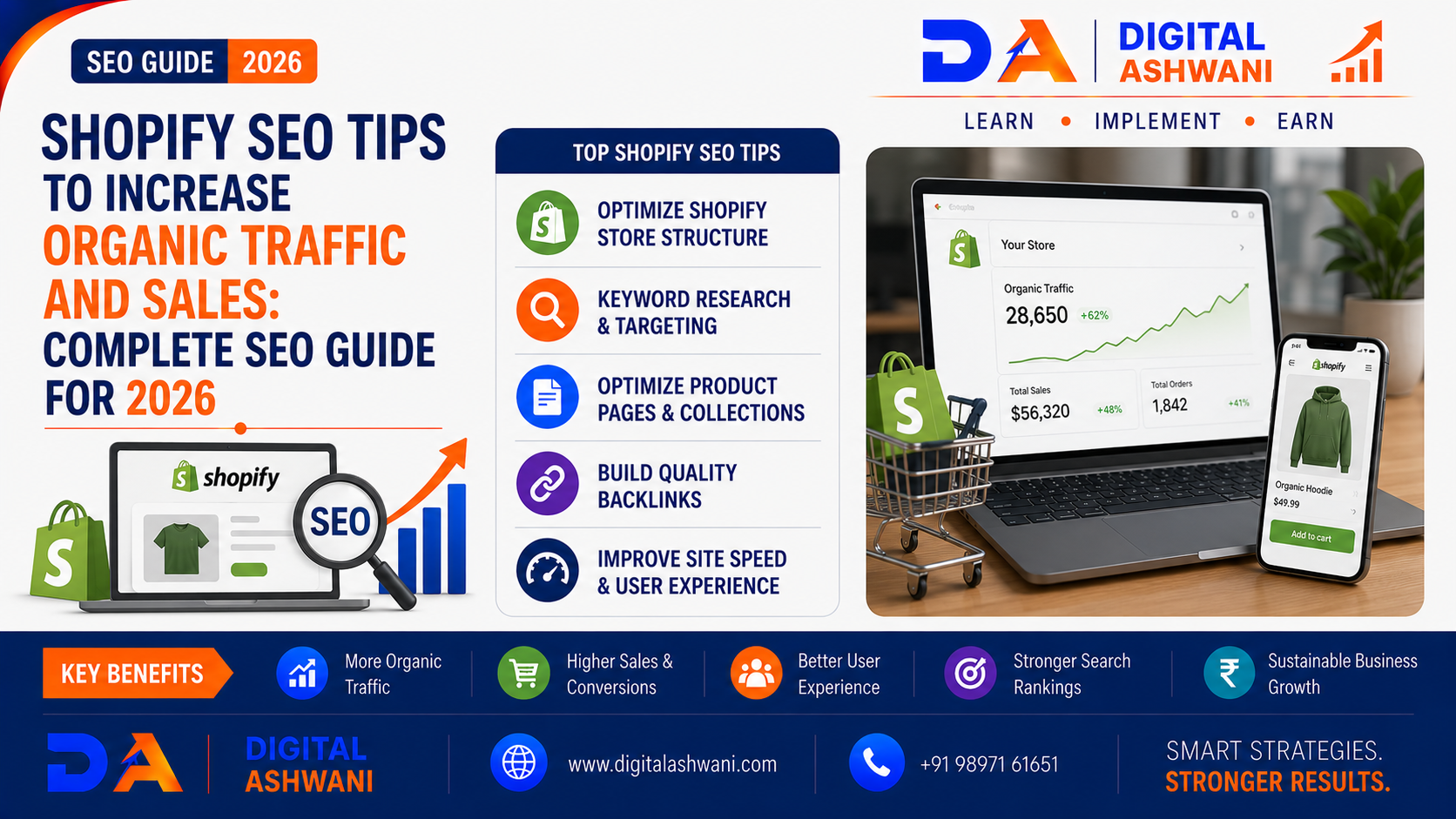
Shopify SEO Tips to Increase Organic Traffic and Sales
Launching a Shopify store is only the beginning of building a successful eCommerce business.
Even with excellent products and a professional website, your store may struggle to generate sales if potential customers cannot find it through Google Search.
Customers search for products using queries such as:
- Buy Running Shoes Online
- Best Skincare Products
- Organic Cotton T-Shirts
- Wireless Earbuds Under ₹5,000
- Best Office Chairs Online
If your Shopify store doesn’t appear for relevant searches, you’re likely missing valuable organic traffic and potential customers.
This is where Shopify SEO Tips become important.
Shopify provides many built-in SEO features, but achieving strong organic visibility requires more than simply adding products and publishing a store.
You need to optimize product pages, collection pages, site structure, content, images, internal links, technical SEO, and conversion-focused elements.
In this comprehensive guide by Digital Ashwani, you’ll learn practical Shopify SEO strategies to improve organic traffic, increase search visibility, attract qualified shoppers, and generate more sales in 2026.
What Is Shopify SEO?
Shopify SEO is the process of optimizing a Shopify store to improve its visibility in search engines and attract relevant organic traffic.
It includes optimizing:
- Product Pages
- Collection Pages
- Blog Content
- Title Tags
- Meta Descriptions
- URLs
- Images
- Internal Links
- Structured Data
- Site Architecture
- Page Performance
The goal is not simply to rank for more keywords.
The real objective is to attract qualified shoppers who are likely to purchase your products.
Why Shopify SEO Matters
Organic search can provide a long-term source of potential customers without requiring you to pay for every website visit.
Effective Shopify SEO can help you:
- Increase Organic Traffic
- Improve Google Visibility
- Generate Product Discoveries
- Reduce Dependence on Paid Ads
- Increase Qualified Visitors
- Improve Brand Awareness
- Generate More Sales
SEO works especially well when product, category, and informational content are optimized around real customer search intent.
Start With Keyword Research
Keyword research is the foundation of Shopify SEO.
Before optimizing product pages, identify what potential customers are actually searching for.
Target Product Keywords
Examples include:
- Buy Running Shoes Online
- Leather Office Chair
- Organic Face Wash
- Men’s Cotton T-Shirts
These searches can have strong commercial or transactional intent.
Use Long-Tail Keywords
Long-tail searches can help smaller stores compete for more specific queries.
Examples:
- Best Running Shoes for Beginners
- Organic Face Wash for Sensitive Skin
- Comfortable Office Chair for Long Hours
- Men’s Oversized Cotton T-Shirt
Long-tail keywords often provide clearer information about what the shopper wants.
Optimize Shopify Product Pages
Product pages are among the most important pages on an eCommerce website.
Create Unique Product Titles
Use clear titles that describe the actual product.
Avoid stuffing titles with multiple unrelated keywords.
A better title might be:
Men’s Premium Cotton Oversized T-Shirt – Black
rather than:
Best Cheap T-Shirt Buy Online Men’s Fashion Cotton Shirt
Write Detailed Product Descriptions
Your product description should explain:
- Product Benefits
- Features
- Materials
- Size Information
- Specifications
- Use Cases
- Care Instructions
- Delivery Information Where Relevant
Avoid copying descriptions directly from manufacturers.
Unique product content provides more value to shoppers and search engines.
Optimize Product URLs
Keep URLs short and descriptive.
Use meaningful product handles instead of unnecessary numbers or random characters.
Avoid changing established URLs without a clear reason because URL changes can create redirects and potential SEO issues.
Optimize Shopify Collection Pages
Collection pages can target broader commercial searches than individual product pages.
For example:
Running Shoes
can target a broader category while individual product pages target specific products.
Write Useful Collection Content
Explain:
- What Products Are Included
- Who They Are For
- Key Features
- Buying Considerations
- Important Product Differences
Don’t add large blocks of keyword-heavy text simply for SEO.
Improve Title Tags and Meta Descriptions
Each important page should have unique metadata.
Title Tags
A strong title should communicate:
- Main Topic
- Product or Category
- User Benefit Where Appropriate
- Brand Where Useful
Meta Descriptions
Use descriptions that accurately summarize the page and encourage relevant users to click.
Avoid keyword stuffing and misleading promises.
Optimize Shopify Images
Large images can negatively affect page performance.
Use Descriptive File Names
Instead of:
IMG12345.jpg
use something meaningful such as:
black-cotton-oversized-tshirt.jpg
Write Useful Alt Text
Alt text should describe the image accurately.
For example:
Black oversized cotton T-shirt front view
Don’t fill alt text with repeated keywords.
Compress Images
Use appropriately sized images and modern formats where supported.
The goal is to maintain visual quality while reducing unnecessary file size.
Improve Shopify Website Speed
Page experience matters for both users and SEO.
Review:
- Image Size
- App Usage
- Theme Performance
- JavaScript
- Third-Party Scripts
- Core Web Vitals
Remove Unnecessary Apps
Too many Shopify apps can add scripts and functionality that your store doesn’t actually need.
Review installed apps regularly and remove unnecessary ones.
Make Your Shopify Store Mobile-Friendly
A large portion of eCommerce browsing happens on mobile devices.
Your store should provide:
- Responsive Design
- Easy Navigation
- Readable Text
- Fast Loading
- Mobile-Friendly Product Pages
- Simple Checkout Experience
Test important pages on multiple screen sizes.
Create Helpful eCommerce Content
A Shopify store shouldn’t rely only on product pages.
Create useful blog content that answers customer questions.
Examples:
- How to Choose the Right Running Shoes
- Best Skincare Routine for Beginners
- How to Select an Office Chair
- Cotton vs Polyester T-Shirts
- How to Choose the Right Product Size
Informational content can attract users earlier in the buying journey.
Build Topic Clusters
Connect related informational articles to relevant collection and product pages.
For example:
Running Shoes Guide
→ Best Running Shoes
→ Running Shoes Collection
→ Individual Running Shoe Products
This structure helps users move from research to purchase.
Improve Internal Linking
Internal links help users and search engines discover important pages.
Link strategically between:
- Blog Posts
- Collections
- Products
- Brand Pages
- Buying Guides
Use descriptive anchor text that accurately explains the destination page.
Use Structured Data Correctly
Structured data can help search engines understand product information.
Depending on the page and implementation, relevant structured data may include:
- Product
- Organization
- Breadcrumb
- Article
- Review Where Eligible
Product information should accurately reflect the visible content on the page.
Always validate structured data and follow Google’s current structured-data guidelines.
Optimize Shopify Site Architecture
Make important pages easy to discover.
A logical structure might look like:
Homepage
→ Collections
→ Products
→ Supporting Content
Avoid creating unnecessary layers that make important products difficult to reach.
Fix Duplicate Content Issues
eCommerce stores can create multiple URLs for similar or identical content.
Common causes include:
- Product Variants
- Collection Parameters
- Filter URLs
- Tracking Parameters
- Duplicate Pages
Use appropriate canonicalization and indexing controls where necessary.
Don’t assume every duplicate-looking URL needs to be indexed.
Manage Shopify Redirects Carefully
When products are discontinued or URLs change, use appropriate redirects where relevant.
Avoid creating large redirect chains.
Before deleting a page, determine whether it:
- Receives Organic Traffic
- Has Backlinks
- Ranks for Keywords
- Has Valuable Content
- Has a Relevant Replacement
Create an SEO-Friendly Navigation
Your main navigation should help users discover important product categories.
For example:
Home → Men’s → Clothing → T-Shirts
Clear navigation improves usability and helps search engines understand site structure.
Build High-Quality Backlinks
Backlinks can strengthen the authority of your Shopify store.
Focus on earning links from relevant sources such as:
- Industry Publications
- Product Reviews
- Relevant Blogs
- Business Websites
- Digital PR
- Partnerships
- Supplier or Brand Mentions
Avoid buying large quantities of low-quality links.
Optimize for Google Shopping and Product Visibility
Organic eCommerce visibility isn’t limited to traditional blue links.
Accurate product information can also support visibility across Google’s product-related experiences where eligible.
Keep product data accurate, including:
- Product Name
- Price
- Availability
- Images
- Brand
- Product Identifiers
- Product Descriptions
Track Shopify SEO Performance
Monitor Organic Traffic
Use analytics tools to monitor:
- Organic Sessions
- Product Page Traffic
- Collection Traffic
- Conversion Rate
- Revenue
- Landing Pages
Use Google Search Console
Monitor:
- Search Queries
- Clicks
- Impressions
- CTR
- Indexed Pages
- Search Performance
Look for pages with high impressions but low CTR and pages receiving traffic without generating conversions.
Focus on Organic Traffic Quality
More traffic isn’t automatically better.
Suppose one SEO strategy generates:
10,000 Visitors + 20 Sales
while another generates:
3,000 Visitors + 100 Sales
The second strategy may create substantially more business value.
Evaluate:
Organic Traffic → Product Engagement → Add to Cart → Checkout → Sales
Common Shopify SEO Mistakes
Using Manufacturer Product Descriptions
Duplicate descriptions provide little unique value.
Keyword Stuffing
Repeating keywords excessively makes product pages unnatural.
Ignoring Collection Pages
Collection pages can target valuable commercial searches and shouldn’t be treated as simple product lists.
Installing Too Many Apps
Unnecessary apps can affect performance and increase technical complexity.
Ignoring Mobile SEO
A store that works poorly on mobile can lose both visitors and sales.
Creating Thin Blog Content
Publishing generic articles only for keywords rarely creates strong long-term value.
Changing URLs Frequently
Unnecessary URL changes can create redirects and disrupt established search visibility.
Buying Low-Quality Backlinks
Poor link-building practices can create unnecessary SEO risks.
Shopify SEO Checklist
Before publishing or optimizing your Shopify store, check:
- Keyword Research
- Product Page Optimization
- Collection Page SEO
- Unique Product Descriptions
- SEO-Friendly URLs
- Title Tags
- Meta Descriptions
- Image Compression
- Descriptive Alt Text
- Mobile Optimization
- Website Speed
- Internal Linking
- Structured Data
- Canonicalization
- Redirect Management
- Helpful Blog Content
- Quality Backlinks
- Google Search Console
- Analytics Tracking
- Conversion Tracking
Internal Linking Suggestions (Digital Ashwani)
Strengthen the eCommerce SEO content cluster by linking this article with:
- Product Page SEO Best Practices for Higher Conversions
- How to Increase Website Conversion Rates Using Data-Driven Optimization Methods
- What Is Canonical URL and Why Should You Use It?
- How Search Engines Crawl, Index, and Rank Websites
- Schema Markup Guide to Improve Rich Results and Organic Click Through Rates
- Negative Keywords Strategy to Reduce Wasted Google Ads Spending
- Complete Google Ads Setup Guide for Beginners With Practical Examples
- How AI Is Changing Google Search & Digital Marketing
These internal links connect Shopify SEO with product optimization, CRO, canonical URLs, technical SEO, structured data, PPC, and AI-powered search.
External Resources
For current Shopify and Google SEO guidance, refer to official resources such as:
- Shopify Help Center
- Google Search Central
- Google Search Console Help
- Google Search Essentials
- Schema.org Documentation
Search engine and Shopify features can change over time, so review current official documentation when implementing technical SEO changes.
Frequently Asked Questions
Is Shopify good for SEO?
Yes. Shopify provides many SEO-friendly features, but strong organic visibility still depends on keyword targeting, content quality, technical SEO, site architecture, links, and overall user experience.
How can I increase organic traffic to my Shopify store?
Focus on keyword research, optimized product and collection pages, helpful content, internal linking, technical SEO, mobile performance, quality backlinks, and continuous performance analysis.
Do Shopify product descriptions affect SEO?
Useful, unique product descriptions can help search engines and shoppers understand your products. Avoid copying descriptions from manufacturers or competitors.
Should every Shopify product have its own SEO page?
Important products generally need dedicated, useful product pages. However, low-value or near-duplicate products should be evaluated carefully rather than creating large numbers of thin pages.
How long does Shopify SEO take to show results?
There is no fixed timeline. Results depend on competition, website authority, content quality, technical health, backlinks, search demand, and how consistently the store is optimized.
Does Shopify automatically optimize SEO?
Shopify provides several built-in SEO features, but automatic functionality doesn’t replace strategic keyword research, content optimization, technical auditing, internal linking, and ongoing SEO work.
Can Shopify SEO increase sales?
Yes, SEO can attract relevant shoppers and increase product discovery, but sales also depend on product quality, pricing, reviews, user experience, trust, checkout experience, and conversion optimization.
Final Thoughts
Effective Shopify SEO Tips are not about adding keywords everywhere.
The strongest Shopify SEO strategy combines:
Keyword Research + Product SEO + Collection Optimization + Technical SEO + Helpful Content + Internal Linking + Mobile Performance + Quality Backlinks + Conversion Optimization
Focus on creating a store that is easy for both search engines and customers to understand.
Optimize the pages that matter most, publish content that answers real customer questions, keep technical issues under control, and measure SEO performance against business outcomes such as revenue and conversions.
At Digital Ashwani, we regularly publish practical guides on Shopify SEO, eCommerce SEO, Google Ads, Local SEO, AI Marketing, Conversion Optimization, and Digital Marketing to help businesses increase online visibility and grow sustainably.
