

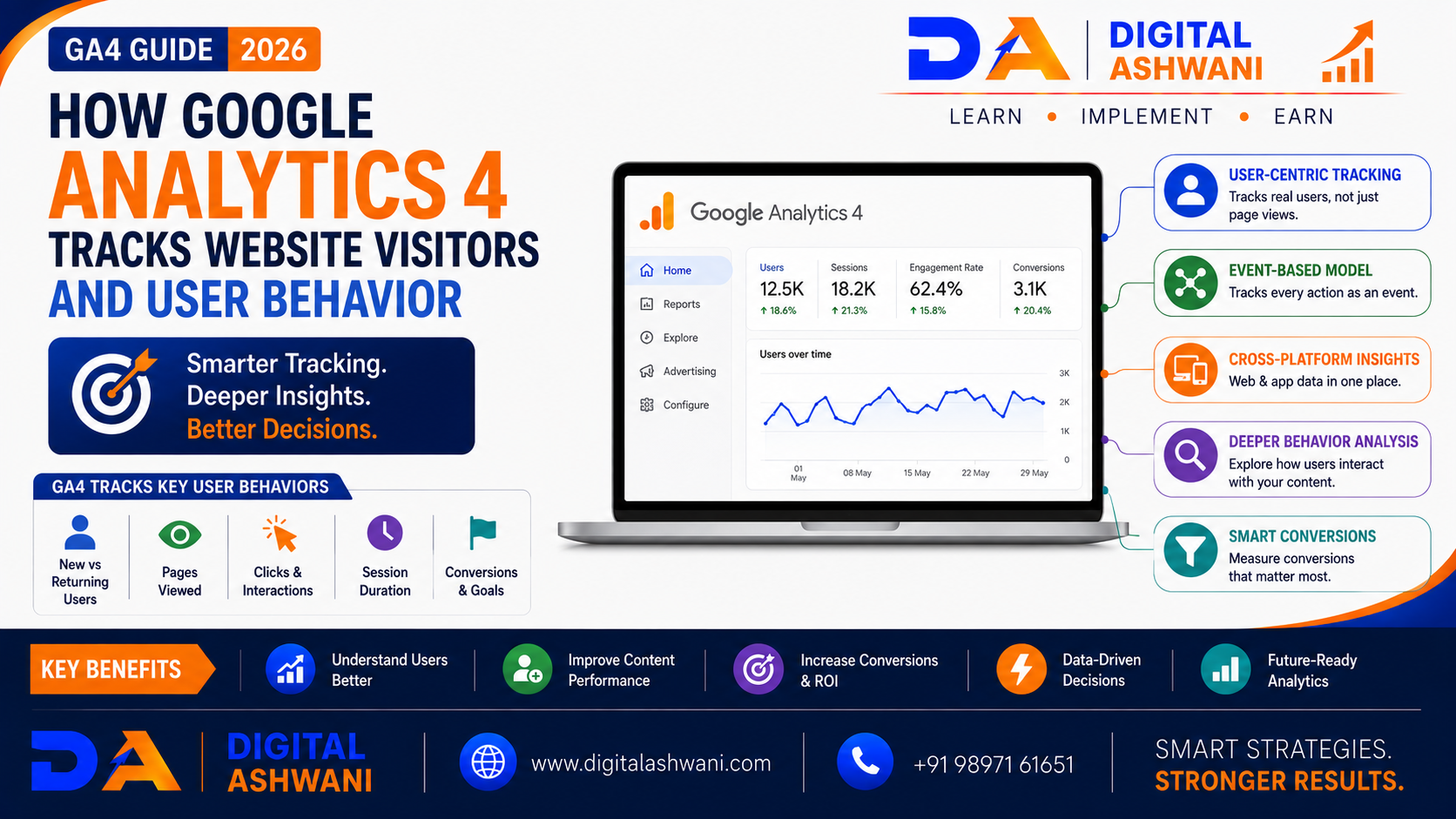
How Google Analytics 4 Tracks Website Visitors and User Behavior
Understanding what visitors do on your website is essential for improving SEO, marketing campaigns, conversions, and overall business performance.
You may know how many people visit your website, but that is only the beginning. Businesses also need to understand where visitors come from, which pages they view, how they interact with content, what actions they take, and where they leave.
This is where Google Analytics 4 (GA4) becomes useful.
Unlike older analytics approaches that focused heavily on sessions and pageviews, GA4 uses an event-based data model. User interactions such as page views, clicks, scrolling, searches, video engagement, and conversions can be measured as events.
This allows businesses to understand the customer journey across websites and apps more effectively.
In this comprehensive guide by Digital Ashwani, you’ll learn how Google Analytics 4 tracks website visitors and user behavior, how GA4 events work, what data it collects, and how businesses can use analytics insights to improve their websites and marketing strategies.
What Is Google Analytics 4?
Google Analytics 4 is Google’s analytics platform for measuring user interactions across websites and applications.
GA4 helps businesses understand:
- Website Traffic
- User Engagement
- Traffic Sources
- Page Views
- Events
- Conversions
- User Journeys
- Audience Behavior
Its event-based measurement model provides a more flexible way to analyze interactions.
How Does Google Analytics 4 Track Website Visitors?
GA4 typically begins collecting website data after the GA4 measurement setup has been implemented correctly.
A website can send interaction data to a GA4 property through the Google tag or another supported implementation method.
When visitors interact with the website, GA4 can receive information associated with those interactions.
Depending on the implementation and user settings, this can include information such as:
- Page Views
- Clicks
- Scrolls
- Engagement
- Traffic Source
- Device Information
- Browser Information
- Geographic Information
- Conversion Events
GA4 then organizes these interactions into reports and analysis tools.
How the GA4 Event-Based Model Works
Events Are the Foundation of GA4
GA4 uses events to represent user interactions.
For example, when a visitor:
- Opens a Page
- Clicks a Button
- Submits a Form
- Downloads a File
- Watches a Video
- Uses Site Search
- Makes a Purchase
the interaction can be recorded as an event when the relevant tracking is configured.
This event-based approach makes it possible to analyze individual user actions rather than relying only on pageviews.
Automatically Collected Events
Basic Website Interactions
GA4 can automatically collect certain events when the relevant measurement features are enabled.
Examples can include:
page_viewfirst_visitsession_startuser_engagement
Additional events may be available depending on the implementation and Google Analytics configuration.
Enhanced Measurement Events
Track Common Interactions Without Extensive Custom Coding
Enhanced Measurement can automatically collect certain website interactions when enabled.
Depending on the configuration, these may include:
- Scrolls
- Outbound Clicks
- Site Search
- Video Engagement
- File Downloads
- Form Interactions
This makes GA4 easier to implement for many standard website measurement needs.
Custom Events
Track Business-Specific Actions
Businesses can create custom events for interactions that are especially important to their goals.
Examples include:
- Quote Request
- Appointment Request
- WhatsApp Click
- Pricing Calculator Use
- Product Filter
- Consultation Booking
Custom events allow analytics measurement to reflect the actual customer journey.
What User Behavior Does GA4 Measure?
Page Engagement
GA4 can help identify which pages receive attention and how visitors interact with them.
You can analyze:
- Page Views
- Engagement
- Landing Pages
- User Navigation
- Content Performance
This helps identify pages that attract visitors and pages that may need improvement.
Traffic Sources
Understand Where Visitors Come From
GA4 can categorize traffic based on acquisition information.
Common channels include:
- Organic Search
- Paid Search
- Direct
- Referral
- Organic Social
Understanding acquisition sources helps businesses determine which marketing channels are generating valuable traffic.
User Engagement
Measure Meaningful Interactions
GA4 provides engagement-related metrics that help businesses understand whether visitors are interacting with the website.
Examples include:
- Engagement Rate
- Engaged Sessions
- Average Engagement Time
- Events Per Session
These metrics can provide more context than simply counting visitors.
User Journey Analysis
Understand What Visitors Do Next
GA4 can help businesses analyze sequences of interactions.
For example:
Landing Page → Product Page → Pricing Page → Contact Form → Lead
Understanding these journeys can reveal where users engage successfully and where they encounter friction.
How GA4 Tracks Conversions
Mark Important Events as Key Events
Businesses can identify important interactions as key events in GA4.
Examples include:
- Purchases
- Lead Form Submissions
- Appointment Bookings
- Signups
- Quote Requests
- Phone Clicks
This helps businesses measure whether website traffic is producing meaningful outcomes.
GA4 for Ecommerce Tracking
Measure Online Shopping Behavior
eCommerce websites can implement recommended ecommerce events to measure activities such as:
- Product Views
- Add to Cart
- Checkout
- Purchases
- Refunds
This allows businesses to understand the customer journey from product discovery to purchase.
Important GA4 Reports
Acquisition Reports
Understand Traffic Sources
Acquisition reports help answer questions such as:
- Where are users coming from?
- Which channels attract visitors?
- Which campaigns generate engagement?
- Which sources contribute to conversions?
Engagement Reports
Analyze Website Interactions
Engagement reports can help you evaluate:
- Events
- Pages and Screens
- Landing Pages
- Conversions
- User Activity
These insights can identify content and experiences that perform well.
Monetization Reports
Analyze Revenue Performance
For businesses that generate revenue online, GA4 can help analyze:
- Ecommerce Revenue
- Purchases
- Products
- Advertising Revenue
- Customer Value
The exact reports available depend on the property configuration and business model.
User Attributes and Audiences
Understand Different Visitor Groups
GA4 can organize users into audiences based on relevant characteristics and behavior.
For example:
- New Visitors
- Returning Visitors
- Purchasers
- Engaged Users
- High-Value Customers
Audiences can help marketers analyze different user groups and, where supported, activate them in connected marketing platforms.
How Businesses Can Use GA4 Data
Improve SEO
GA4 can help identify:
- High-performing Landing Pages
- Organic Traffic
- Engaged Content
- Conversion Paths
- Content Opportunities
Combine GA4 with Google Search Console to understand both search performance and onsite behavior.
Improve Landing Pages
If visitors frequently arrive on a page but don’t engage or convert, investigate:
- Page Speed
- Content Relevance
- CTA Placement
- Navigation
- Mobile Experience
- Trust Signals
Analytics data can help prioritize improvements.
Measure Marketing Campaigns
GA4 can help compare marketing channels and campaigns.
Businesses can evaluate whether traffic from:
- Google Ads
- Organic Search
- Social Media
- Referral Websites
is contributing to meaningful user actions.
Understand Customer Behavior
GA4 can reveal patterns such as:
- Which pages users visit first
- Which content receives engagement
- Which actions occur before conversion
- Where users stop interacting
- Which channels attract valuable visitors
These insights can support better marketing decisions.
Common GA4 Tracking Mistakes
Incorrect Tracking Implementation
Check Your Measurement Setup
Incorrect tags or configurations can produce incomplete or inaccurate data.
Test important events after implementation.
Not Tracking Important Business Actions
Measure More Than Pageviews
A website may receive thousands of visitors but generate few leads.
Track meaningful actions such as:
- Form Submissions
- Purchases
- Calls
- Bookings
- Quote Requests
Ignoring Data Quality
Review Your Analytics Regularly
Unexpected traffic, duplicate events, referral spam, internal traffic, or implementation errors can affect reporting.
Regular audits help maintain reliable data.
Relying on One Metric
Analyze Multiple Signals Together
Don’t judge website performance using only:
- Users
- Sessions
- Engagement Rate
- Conversion Rate
Look at multiple metrics together to understand the complete picture.
Ignoring Privacy and Consent Requirements
Respect User Choices
Analytics implementations should follow applicable privacy laws, consent requirements, and Google’s current measurement policies.
Use appropriate consent-management and privacy controls where required.
GA4 Website Tracking Checklist
Before relying on your analytics data, check:
- GA4 Property Created
- Google Tag Installed Correctly
- Data Collection Verified
- Enhanced Measurement Reviewed
- Important Events Configured
- Key Events Identified
- Conversion Tracking Tested
- Google Search Console Connected
- Google Ads Linked Where Relevant
- Internal Traffic Considered
- Reports Reviewed Regularly
Internal Linking Suggestions (Digital Ashwani)
Strengthen your analytics and digital marketing content cluster by linking this article with:
- Website Conversion Rate Optimization Guide
- Google Ads Conversion Tracking Setup Using Google Tag Manager
- Complete Google Search Ads Campaign Setup Guide
- What Is Cost Per Click (CPC)?
- How to Increase Website Conversion Rates Using Data-Driven Optimization Methods
- How AI Is Transforming Modern SEO Strategies for Business Growth
- Best ChatGPT Prompts for SEO Experts and Content Writers
- Top On-Page SEO Techniques to Improve Rankings and Organic Website Traffic
- Why Organic Traffic Is Dropping Even When Rankings Stay the Same
- Digital Marketing Career in 2026
These internal links help readers connect analytics, SEO, paid advertising, conversion optimization, and digital marketing topics.
External Resources
For official Google Analytics guidance, explore:
- Google Analytics Help
- Google Analytics Developers
- Google Tag Manager Help
- Google Search Console Help
- Google Ads Help
Official documentation should be used when configuring GA4 tracking because features and implementation requirements can change.
Frequently Asked Questions
How does Google Analytics 4 track website visitors?
GA4 collects interaction data through the Google tag or another supported measurement implementation. Website interactions are generally represented as events that can then be analyzed in GA4 reports and explorations.
What is the difference between GA4 and Universal Analytics?
GA4 uses an event-based data model and is designed to measure user interactions more flexibly across websites and apps. Universal Analytics used a different session- and hit-based measurement model and has been replaced by GA4 for standard Google Analytics properties.
What are events in GA4?
Events represent user interactions or activities measured by GA4, such as page views, clicks, downloads, searches, purchases, or custom business actions.
Can GA4 track website clicks?
Yes. Depending on your configuration, GA4 can measure interactions such as outbound clicks and other button or link interactions through automatically collected, enhanced measurement, or custom events.
Can GA4 track conversions?
Yes. Important events can be marked as key events in GA4 so businesses can measure actions that matter to their goals, such as purchases, lead submissions, or bookings.
Is GA4 useful for SEO?
Yes. GA4 can help SEO professionals understand what happens after users arrive from organic search, including engagement, landing-page performance, and conversions. Google Search Console provides complementary search-performance data.
Final Thoughts
Understanding How Google Analytics 4 Tracks Website Visitors and User Behavior is essential for businesses that want to make smarter decisions using website data.
GA4 goes beyond simply counting visitors. Its event-based model allows businesses to analyze interactions, engagement, traffic sources, user journeys, and important business actions.
The most valuable approach is to connect analytics data with clear business goals. Instead of asking only how many people visited your website, ask:
Where did they come from? What did they do? What made them engage? Where did they leave? Did they convert?
When GA4 is configured correctly and combined with Google Search Console, Google Ads, conversion tracking, and CRO data, it can provide a much clearer picture of how marketing activities contribute to business growth.
At Digital Ashwani, we regularly publish practical guides on SEO, Google Analytics, Google Ads, AI Marketing, Local SEO, Conversion Optimization, and Digital Marketing to help businesses make better data-driven marketing decisions.
