

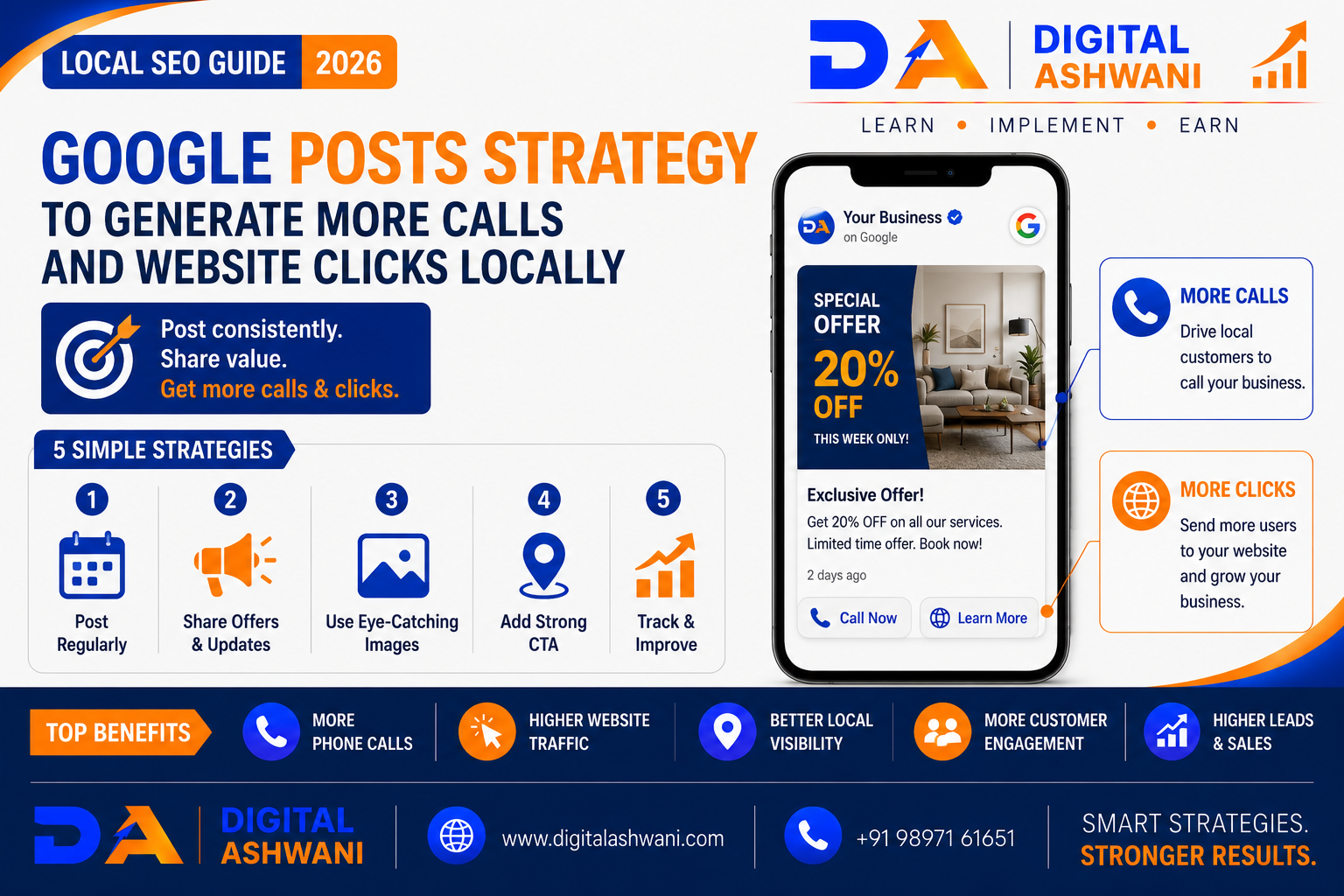
Google Posts Strategy to Generate More Calls and Website Clicks Locally
Local businesses often focus heavily on optimizing their Google Business Profile but overlook one valuable feature: Google Posts.
Google Business Profile Posts allow businesses to share timely updates, offers, events, products, services, announcements, and helpful information directly through their Business Profile.
For businesses competing in local search, these posts can help communicate current offers, highlight services, provide useful information, and encourage potential customers to take action.
Whether you run a restaurant, dental clinic, travel agency, law firm, gym, salon, hotel, real estate company, or local service business, a well-planned Google Posts Strategy can support your local marketing efforts and help turn profile visitors into calls, website visits, and enquiries.
In this comprehensive guide by Digital Ashwani, you’ll learn how to create, optimize, and manage Google Posts to support local visibility, customer engagement, calls, website clicks, and business growth.
What Are Google Business Profile Posts?
Google Posts are updates that eligible businesses can publish through their Google Business Profile.
Depending on the available features, businesses can use posts to communicate:
- Business Updates
- Offers
- Events
- Products
- Services
- Announcements
- Helpful Information
These updates can give potential customers more context when they discover your business through Google Search and Maps.
Why Google Posts Matter for Local Businesses
When customers search for a local business, they often compare several options before contacting anyone.
Fresh and useful profile content can help communicate:
- What Your Business Offers
- Current Promotions
- New Services
- Important Updates
- Reasons to Choose Your Business
Google Posts should support your overall Local SEO strategy rather than be treated as a replacement for a complete Google Business Profile optimization campaign.
Benefits of a Google Posts Strategy
A consistent strategy can help businesses:
- Increase Customer Engagement
- Promote Important Services
- Generate Website Visits
- Encourage Calls and Enquiries
- Highlight Special Offers
- Communicate Business Updates
- Strengthen Local Brand Visibility
- Support Customer Decision-Making
Types of Google Posts
1. Update Posts
Share Useful Business Information
Use update posts for:
- New Services
- Business Announcements
- Seasonal Information
- New Locations
- Company Updates
Keep the message concise and useful.
2. Offer Posts
Promote Relevant Deals
Offer posts can highlight:
- Seasonal Discounts
- Special Packages
- New-Customer Offers
- Limited-Time Promotions
Always communicate the terms clearly and avoid misleading claims.
3. Event Posts
Promote Upcoming Events
Examples include:
- Workshops
- Open Houses
- Webinars
- Community Events
- Store Events
Include important dates and registration information.
4. Product or Service Posts
Highlight Your Best Services
Feature services such as:
- Dental Treatments
- Legal Consultations
- Tour Packages
- Fitness Memberships
- Digital Marketing Services
Explain the main customer benefit and provide a relevant next step.
How to Create Effective Google Posts
1. Start With a Clear Message
Tell Customers What Matters
Avoid vague introductions.
Instead of:
“We have exciting news!”
Try:
“Book your summer tour package today.”
A specific message communicates value immediately.
2. Focus on One Objective
Give Every Post a Purpose
Your post could aim to:
- Generate Calls
- Increase Website Visits
- Promote a Service
- Generate Enquiries
- Promote an Event
- Share an Important Update
One clear objective makes the call-to-action more effective.
3. Use Strong Calls-to-Action
Encourage the Next Step
Depending on the available post options, use relevant actions such as:
- Learn More
- Book
- Order Online
- Call
- Sign Up
- Get Offer
Make sure the destination matches the CTA.
4. Link to Relevant Website Pages
Send Users to the Right Destination
Avoid sending every visitor to your homepage.
Instead, link to relevant pages such as:
- Service Pages
- Product Pages
- Booking Pages
- Contact Pages
- Offer Pages
- Location Pages
A relevant landing page can make website traffic more useful.
5. Use High-Quality Images
Make Posts Visually Appealing
Use clear, relevant images that represent:
- Products
- Services
- Locations
- Team Members
- Events
- Customer Experiences
Avoid blurry, misleading, or unrelated visuals.
Google Posts Strategy for More Calls
Use Call-Focused Messaging
If generating phone enquiries is the primary objective, make the post highly specific.
Examples:
Dental Clinic:
“Need a dental consultation? Contact our clinic to schedule an appointment.”
Restaurant:
“Planning a family dinner? Call us to reserve your table.”
Travel Agency:
“Planning a holiday? Contact our travel team for customized tour options.”
The message should clearly explain what the customer should do next.
Google Posts Strategy for More Website Clicks
Create Curiosity Without Clickbait
Give users enough information to understand the value while encouraging them to learn more.
For example:
“Planning a Delhi-to-Goa holiday? Explore our latest tour packages, inclusions, and itinerary options.”
Then direct users to the relevant tour page.
Measure Your Results
Track Calls and Website Traffic
Monitor available Google Business Profile performance data and use website analytics to understand:
- Website Clicks
- Phone Calls
- Profile Interactions
- Landing Page Visits
- Enquiries
- Conversions
Use tracking parameters on website URLs where appropriate so traffic from specific campaigns can be analyzed more effectively.
Google Posts Content Calendar
A simple monthly plan could include:
| Week | Post Type | Objective |
|---|---|---|
| Week 1 | Service Update | Generate Enquiries |
| Week 2 | Educational Post | Build Trust |
| Week 3 | Offer Post | Drive Conversions |
| Week 4 | Customer Story | Build Credibility |
Rotate content instead of publishing the same promotional message repeatedly.
Common Google Posts Mistakes
Posting Only Promotional Content
Constantly promoting discounts can make your profile less useful.
Mix promotional posts with educational and informational content.
Using the Same Post Repeatedly
Repetitive content can become less engaging.
Create fresh messages around different services, questions, offers, and customer needs.
Sending Traffic to the Homepage Every Time
A generic homepage may not match the user’s intent.
Send visitors to the most relevant page.
Using Weak Calls-to-Action
A post without a clear next step may generate visibility without meaningful action.
Tell users exactly what they can do next.
Ignoring Mobile Users
Most local searches happen on mobile devices.
Make sure linked pages load quickly and provide an easy experience on smartphones.
Internal Linking Suggestions (Digital Ashwani)
Strengthen your Local SEO content cluster by linking this article with:
- Complete Google Business Profile Optimization Guide for Higher Local Search Rankings
- Google Business Profile Optimization for Tour Operators
- Local SEO Strategies for Dental Clinics to Rank Higher on Google Maps
- Local SEO Strategies for Restaurants to Increase Customer Visits
- Local SEO Tips for Real Estate Agencies
- Local SEO Tips for Gym Membership Growth
- Healthcare Lead Generation Strategies That Actually Work
- Why Organic Traffic Is Dropping Even When Rankings Stay the Same
- Top On-Page SEO Techniques to Improve Rankings and Organic Website Traffic
- Building Topical Authority Through Strategic Content Clusters and Internal Linking
These internal links strengthen topical authority around Google Business Profile, Local SEO, local lead generation, and conversion optimization.
External Resources
For official guidance, explore:
- Google Business Profile Help
- Google Search Central
- Google Maps Help
- Google Analytics Help Center
These resources provide current guidance for Business Profile management, local search, analytics, and website optimization.
Frequently Asked Questions
What is a Google Posts Strategy?
A Google Posts Strategy is a planned approach to publishing useful updates, offers, events, products, and service information through a Google Business Profile to support customer engagement and local marketing goals.
Do Google Posts improve local rankings?
Google Posts should not be treated as a guaranteed direct ranking factor. Their main value is communicating useful information, promoting services and offers, and encouraging customers to interact with your business.
How often should a business publish Google Posts?
There is no universal posting frequency that guarantees better results. Businesses should focus on publishing fresh, useful information whenever they have something genuinely valuable to communicate.
Can Google Posts generate phone calls?
They can encourage calls when the post clearly promotes a service and provides an appropriate call-to-action or contact option available through the Business Profile.
Can Google Posts increase website traffic?
Yes. Posts can direct interested users to relevant website pages through available link or action options. Use appropriate tracking where possible to measure traffic and conversions.
Final Thoughts
A strong Google Posts Strategy can help local businesses communicate their latest services, offers, events, and updates directly to people discovering them through Google Search and Maps.
The key is to focus on customer value rather than simply publishing content for the sake of activity. Use clear messaging, relevant images, strong calls-to-action, useful landing pages, and different post types to address different customer needs.
Google Posts work best as part of a broader Local SEO strategy that includes an accurate Google Business Profile, genuine customer reviews, strong website content, technical SEO, and conversion-focused landing pages.
By consistently improving your local presence and measuring customer actions, you can turn more Google profile visitors into meaningful website visits, phone calls, enquiries, and potential customers.
At Digital Ashwani, we regularly publish practical guides on Local SEO, Google Business Profile optimization, Google Ads, SEO, AI Marketing, Content Marketing, and Digital Marketing to help businesses improve local visibility and generate sustainable growth.
