

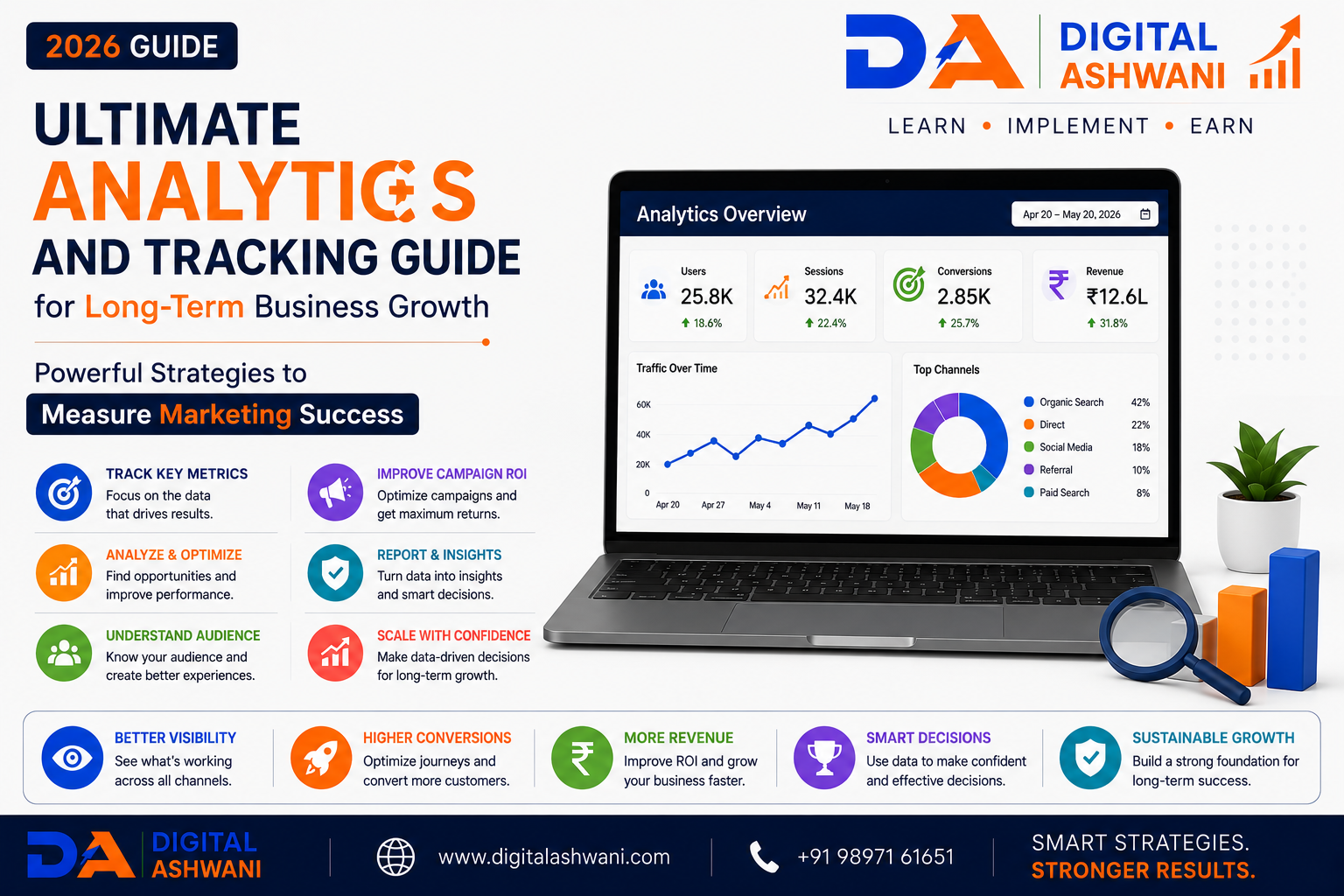
Ultimate Analytics and Tracking Guide for Long-Term Business Growth
Modern digital marketing is driven by data. Every website visitor, advertisement, email campaign, social media post, and customer interaction generates valuable information that can help businesses make smarter marketing decisions. Without proper analytics and tracking, businesses often rely on assumptions instead of real customer behavior.
Whether you operate an eCommerce store, local business, SaaS company, educational institute, healthcare clinic, travel agency, real estate business, or service-based company, understanding how users discover, interact with, and convert on your website is essential for sustainable growth.
Analytics platforms such as Google Analytics 4 (GA4), Google Search Console, Google Tag Manager, Meta Pixel, and Google Ads Conversion Tracking enable businesses to measure campaign performance, identify growth opportunities, reduce wasted marketing spend, and improve return on investment (ROI).
Instead of focusing only on website traffic, successful businesses analyze user behavior, conversion rates, customer journeys, acquisition channels, and revenue metrics to make informed business decisions.
In this comprehensive guide by Digital Ashwani, you’ll learn 15 powerful Analytics and Tracking strategies that help businesses improve marketing performance, optimize conversions, and achieve long-term business growth in 2026.
What Is Analytics and Tracking?
Analytics and tracking refer to collecting, measuring, and analyzing user interactions across digital platforms to understand business performance.
Businesses can track:
- Website Visitors
- Traffic Sources
- User Behavior
- Conversions
- Sales
- Leads
- Campaign Performance
- Customer Journeys
These insights help improve marketing strategies and business outcomes.
Why Analytics Matters for Businesses
Without measurement, it’s impossible to know which marketing efforts generate results.
Analytics helps businesses:
- Measure ROI
- Improve Decision-Making
- Reduce Marketing Costs
- Understand Customer Behavior
- Increase Conversion Rates
- Improve Customer Experience
- Identify Growth Opportunities
Businesses that rely on data make better long-term decisions.
Benefits of Analytics and Tracking
A strong analytics strategy helps businesses:
- Improve Marketing Performance
- Increase Revenue
- Optimize Advertising
- Understand Customer Needs
- Improve Website Experience
- Generate Better Leads
- Reduce Customer Acquisition Cost
- Support AI-Powered Decision Making
Data-driven businesses consistently outperform those relying on assumptions.
15 Powerful Analytics & Tracking Strategies
1. Install Google Analytics 4 Properly
Google Analytics 4 is the foundation of digital measurement.
Track:
- Users
- Sessions
- Engagement
- Events
- Conversions
- Revenue
- Traffic Sources
Correct implementation ensures accurate reporting.
2. Configure Google Tag Manager
Google Tag Manager simplifies tracking implementation without editing website code repeatedly.
Manage:
- Analytics Tags
- Marketing Pixels
- Conversion Events
- Custom Tracking
- Third-Party Scripts
A centralized tag management system improves flexibility and accuracy.
3. Set Up Conversion Tracking
Every business should define meaningful conversions.
Examples include:
- Contact Form Submissions
- Purchases
- Phone Calls
- Newsletter Sign-Ups
- Appointment Bookings
- Quote Requests
- Downloads
Tracking conversions helps measure real business outcomes instead of vanity metrics.
4. Track Traffic Sources
Understand where your visitors come from.
Examples include:
- Organic Search
- Google Ads
- Social Media
- Email Marketing
- Referral Websites
- Direct Traffic
Knowing your acquisition channels helps allocate marketing budgets more effectively.
5. Monitor User Behavior
Behavior reports reveal how visitors interact with your website.
Analyze:
- Landing Pages
- Scroll Depth
- Click Activity
- Navigation Paths
- Exit Pages
- Session Duration
Understanding user behavior helps improve website experience.
6. Measure Marketing Campaign Performance
Every campaign should be measurable.
Track:
- Campaign Traffic
- Leads
- Revenue
- Cost Per Lead
- Cost Per Acquisition
- Return on Ad Spend (ROAS)
- ROI
Performance tracking supports better marketing decisions.
7. Create Custom Dashboards
Custom dashboards make reporting easier.
Include metrics such as:
- Daily Traffic
- Monthly Leads
- Revenue
- Conversion Rate
- Advertising Performance
- SEO Performance
Dashboards help teams monitor business performance quickly.
8. Use UTM Parameters
UTM parameters help identify exactly which campaigns generate traffic and conversions.
Track campaigns by:
- Source
- Medium
- Campaign Name
- Content
- Keyword
Consistent UTM tagging improves campaign attribution and reporting accuracy.
9. Set Up Ecommerce Tracking
If you operate an online store, Ecommerce Tracking is essential for understanding how customers purchase products.
Track important ecommerce events such as:
- Product Views
- Add to Cart
- Begin Checkout
- Purchases
- Revenue
- Refunds
- Coupon Usage
- Average Order Value (AOV)
Ecommerce tracking helps identify opportunities to increase sales and reduce cart abandonment.
10. Understand Attribution Models
Customers often interact with multiple marketing channels before making a purchase.
Attribution models help determine which channels deserve credit for conversions.
Common attribution models include:
- First Click Attribution
- Last Click Attribution
- Data-Driven Attribution
- Linear Attribution
- Time Decay Attribution
- Position-Based Attribution
Understanding attribution improves budget allocation across SEO, Google Ads, Meta Ads, email marketing, and social media.
11. Track Important Business KPIs
Website traffic alone doesn’t measure business success.
Monitor Key Performance Indicators (KPIs) such as:
- Conversion Rate
- Cost Per Lead (CPL)
- Customer Acquisition Cost (CAC)
- Return on Investment (ROI)
- Return on Ad Spend (ROAS)
- Customer Lifetime Value (CLV)
- Revenue Growth
- Lead Quality
Tracking the right KPIs supports better strategic decisions.
12. Use AI-Powered Analytics
Artificial Intelligence helps businesses analyze large datasets quickly and uncover valuable insights.
AI can assist with:
- Predictive Analytics
- Customer Segmentation
- Marketing Forecasting
- Trend Detection
- Automated Reporting
- Audience Insights
- Revenue Predictions
AI-powered analytics helps marketers make faster and more informed decisions.
13. Build Automated Marketing Reports
Manual reporting consumes valuable time.
Automate reports using tools such as:
- Google Looker Studio
- Google Analytics 4
- Google Ads
- Search Console
- CRM Dashboards
Automated reports help stakeholders monitor performance without repetitive manual work.
14. Optimize Marketing Campaigns Continuously
Analytics should drive action—not just reporting.
Regularly optimize:
- Landing Pages
- Advertising Campaigns
- SEO Content
- Email Campaigns
- Social Media Strategies
- Conversion Funnels
Continuous optimization improves long-term marketing performance.
15. Review Analytics Every Month
Successful businesses don’t analyze data once—they review it consistently.
Create a monthly review process covering:
- Website Traffic Trends
- Conversion Performance
- Campaign ROI
- Customer Behavior
- SEO Growth
- Advertising Results
- Sales Performance
Monthly reporting helps identify opportunities before small issues become major problems.
Complete Analytics & Tracking Checklist
Before launching any marketing campaign, ensure you’ve completed the following:
- Google Analytics 4 Installed
- Google Tag Manager Configured
- Conversion Tracking Enabled
- UTM Parameters Added
- Traffic Sources Monitored
- Ecommerce Tracking Configured
- KPIs Defined
- Automated Dashboards Created
- AI Analytics Tools Integrated
- Monthly Reporting Process Established
A structured analytics framework enables smarter business decisions and continuous growth.
Common Analytics & Tracking Mistakes
Tracking Only Website Traffic
Traffic is useful, but it doesn’t always generate revenue.
Prioritize conversions, leads, customer acquisition, and business outcomes.
Ignoring Conversion Tracking
Without conversion tracking, it’s difficult to identify which marketing channels generate actual business results.
Always configure meaningful conversion events.
Poor UTM Management
Inconsistent campaign tagging leads to inaccurate reports.
Establish a standardized UTM naming convention across all marketing campaigns.
Making Decisions Without Data
Avoid relying on assumptions or opinions.
Use analytics reports to guide marketing investments and optimization efforts.
Failing to Review Reports Regularly
Analytics is valuable only when reviewed consistently.
Schedule weekly performance checks and detailed monthly business reviews.
Internal Linking Suggestions (Digital Ashwani)
Strengthen your Analytics and Digital Marketing content cluster by linking this article with:
- What Is Google Analytics 4 and Why Every Business Should Use It?
- What Is Google Ads and How Does It Work?
- Complete Meta Ads Guide for Small Businesses and Local Brands
- Ecommerce SEO Strategies to Increase Organic Product Sales
- How to Increase Website Conversion Rates Using Data-Driven Optimization Methods
- Complete Social Media Marketing Blueprint for Long-Term Business Growth and Success
- Artificial Intelligence (AI) in Digital Marketing
- ChatGPT for SEO: How to Create High-Quality Content That Ranks
- Digital Marketing Career in 2026
- Entity SEO Strategies for AI-Powered Search Engines
These internal links strengthen topical authority, improve semantic relevance, and help search engines understand your Analytics, SEO, AI, and Digital Marketing content ecosystem.
External Resources
For official analytics and tracking documentation, explore:
- Google Analytics Help Center
- Google Tag Manager Help Center
- Google Search Console Help
- Google Looker Studio Help
- Google Ads Help Center
These trusted resources provide the latest guidance for analytics implementation, conversion tracking, reporting, and campaign optimization.
Frequently Asked Questions
What is analytics and tracking in digital marketing?
Analytics and tracking involve collecting and analyzing data about website visitors, customer behavior, marketing campaigns, and conversions to improve business decisions and marketing performance.
Why is Google Analytics 4 important?
Google Analytics 4 helps businesses understand user behavior, measure engagement, track conversions, analyze traffic sources, and optimize marketing campaigns using event-based data.
What are KPIs in digital marketing?
KPIs (Key Performance Indicators) are measurable metrics such as conversion rate, ROI, ROAS, customer acquisition cost, revenue, and engagement that help evaluate marketing success.
What is UTM tracking?
UTM tracking uses special URL parameters to identify the source, medium, campaign, content, and keywords that generate website traffic and conversions.
How often should businesses review analytics?
Businesses should monitor important metrics weekly and conduct comprehensive monthly reviews to evaluate performance, identify trends, and improve future marketing strategies.
Final Thoughts
The Ultimate Analytics and Tracking Guide is about more than collecting data—it’s about turning insights into meaningful business growth. Businesses that implement proper tracking, measure the right KPIs, monitor customer behavior, automate reporting, and continuously optimize campaigns can make smarter marketing decisions and maximize return on investment.
As digital marketing becomes increasingly data-driven and AI-powered, analytics will remain one of the most valuable assets for every business. Rather than relying on assumptions, use accurate data to understand your audience, improve customer experiences, and achieve sustainable long-term growth.
At Digital Ashwani, we regularly publish practical guides on Google Analytics, SEO, AI Marketing, Google Ads, Meta Ads, Social Media Marketing, and Digital Marketing to help businesses grow through smarter, data-driven marketing.
