

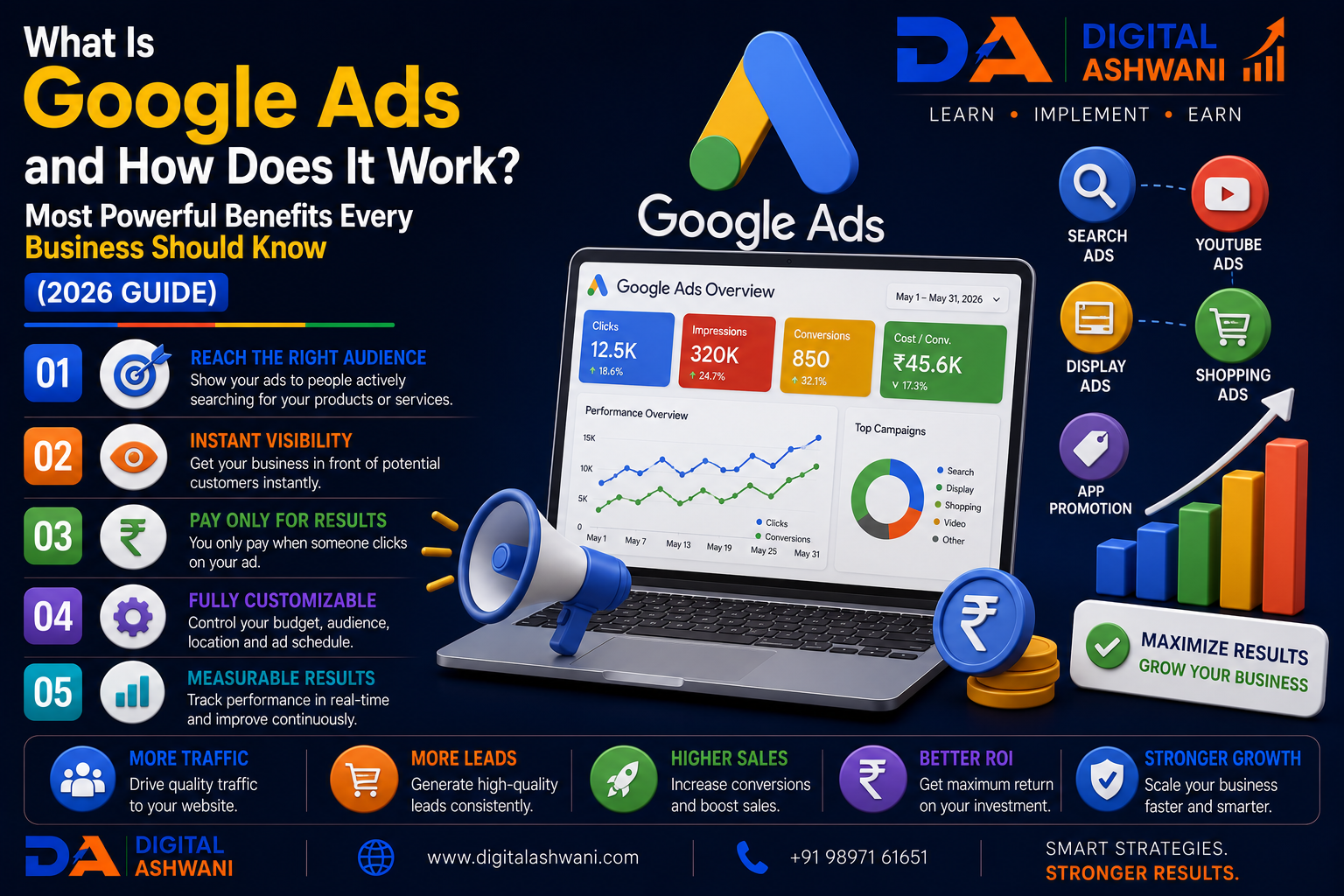
What Is Google Ads and How Does It Work?
Every day, billions of people use Google to search for products, services, businesses, and solutions. Whether someone is searching for a nearby restaurant, a digital marketing agency, an online course, or a new smartphone, Google displays the most relevant results within seconds.
While SEO helps businesses earn organic visibility over time, many companies also need immediate exposure to reach potential customers. This is where Google Ads becomes one of the most powerful digital advertising platforms available.
Google Ads allows businesses to display advertisements across Google Search, YouTube, Gmail, Google Maps, Google Shopping, Discover, and millions of partner websites. Instead of waiting months for organic rankings, businesses can immediately reach people who are actively searching for their products or services.
Whether you’re a local business, eCommerce store, SaaS company, healthcare clinic, educational institute, real estate agency, or freelancer, Google Ads provides an effective way to generate qualified traffic, leads, phone calls, and sales.
In this comprehensive guide by Digital Ashwani, you’ll learn what Google Ads is, how it works, its campaign types, bidding strategies, and why every business should consider using it in 2026.
What Is Google Ads?
Google Ads is Google’s online advertising platform that enables businesses to promote their products and services across Google’s network.
It operates primarily on a Pay-Per-Click (PPC) model, meaning advertisers typically pay only when someone clicks on their advertisement.
Google Ads helps businesses reach users based on:
- Search keywords
- User interests
- Location
- Device
- Demographics
- Online behavior
This highly targeted approach makes Google Ads one of the most effective digital marketing channels.
How Does Google Ads Work?
When someone performs a search on Google, an automated ad auction determines which ads appear.
Google evaluates several factors before displaying advertisements, including:
- Keyword relevance
- Maximum bid
- Quality Score
- Expected Click-Through Rate (CTR)
- Landing Page Experience
- Ad Relevance
The combination of these signals determines Ad Rank, which influences whether and where your ad appears.
Understanding the Google Ads Auction
Every search triggers a real-time auction.
The process generally follows these steps:
- A user enters a search query.
- Google identifies advertisers targeting that keyword.
- Eligible ads enter the auction.
- Google calculates Ad Rank.
- Winning ads appear on the search results page.
Winning the auction doesn’t always require the highest bid. Better ad quality and landing page experience can outperform higher-paying competitors.
Types of Google Ads Campaigns
Google Ads offers multiple campaign types to support different business goals.
Search Campaigns
Text ads shown in Google Search results.
Best for:
- Lead generation
- Service businesses
- Local businesses
- High-intent searches
Display Campaigns
Image advertisements shown across Google’s Display Network.
Ideal for:
- Brand awareness
- Remarketing
- Product promotion
Shopping Campaigns
Product-based advertisements displaying:
- Product image
- Price
- Store name
Suitable for eCommerce businesses.
Video Campaigns
Advertisements shown on YouTube.
Effective for:
- Brand awareness
- Product launches
- Customer education
Performance Max Campaigns
AI-powered campaigns that automatically serve ads across all Google properties.
Ideal for businesses seeking maximum reach and automated optimization.
Demand Gen Campaigns
Designed to reach audiences through YouTube, Discover, and Gmail using visually engaging creatives.
Suitable for building demand and increasing customer interest before purchase.
Benefits of Google Ads
Businesses use Google Ads because it provides:
- Immediate visibility
- Highly targeted advertising
- Flexible budgeting
- Measurable ROI
- Fast lead generation
- Local customer targeting
- AI-powered campaign optimization
These advantages make Google Ads suitable for businesses of all sizes.
15 Powerful Reasons Every Business Should Use Google Ads
1. Reach Customers at the Right Time
Google Ads displays your business when people are actively searching for products or services you offer.
This high purchase intent often leads to better conversion rates than many other advertising channels.
2. Generate Qualified Leads
Unlike traditional advertising, Google Ads targets users based on search intent.
This helps businesses attract visitors who are more likely to become customers.
3. Get Immediate Traffic
SEO requires time to build rankings.
Google Ads can begin generating website visitors, phone calls, and leads shortly after campaigns launch.
4. Target Specific Locations
Businesses can display ads in:
- Cities
- States
- Countries
- Service areas
- Radius around business locations
This is especially valuable for local businesses.
5. Control Your Budget
Advertisers decide:
- Daily budget
- Monthly spend
- Maximum bids
- Campaign priorities
Google Ads provides flexibility for businesses of every size.
6. Measure Every Click
Google Ads reports detailed performance metrics including:
- Clicks
- Impressions
- CTR
- Cost Per Click (CPC)
- Conversions
- Cost Per Conversion
These insights help optimize advertising performance.
7. Reach Mobile Users
Most searches now occur on smartphones.
Google Ads allows businesses to reach customers across mobile, tablet, and desktop devices with optimized ad experiences.
8. Use AI-Powered Campaign Optimization
Modern Google Ads campaigns use machine learning to improve bidding, audience targeting, and ad delivery.
Features such as Smart Bidding and Performance Max help advertisers maximize results with less manual optimization.
9. Improve Brand Visibility and Awareness
Even if users don’t click your advertisement immediately, repeatedly appearing in Google Search helps build brand recognition.
When people consistently see your business for relevant searches, they become more familiar with your brand and are more likely to trust you in the future.
Google Ads Helps Increase
- Brand Awareness
- Brand Recall
- Customer Trust
- Market Visibility
- Competitive Presence
Consistent visibility strengthens your long-term marketing strategy.
10. Remarket to Previous Visitors
Not every visitor converts during their first visit.
Google Ads Remarketing allows businesses to reconnect with users who have already interacted with their website.
Remarketing Can Target
- Website visitors
- Cart abandoners
- Previous buyers
- YouTube viewers
- Mobile app users
Showing relevant ads to warm audiences often results in higher conversion rates and better ROI.
11. Understand Google Ads Quality Score
Quality Score is Google’s rating of your keywords, ads, and landing pages.
A higher Quality Score can improve your ad position while reducing your advertising costs.
Quality Score Depends On
- Expected Click-Through Rate (CTR)
- Ad Relevance
- Landing Page Experience
Improving these factors helps increase Ad Rank without simply increasing your bid.
12. Choose the Right Bidding Strategy
Google Ads offers several bidding strategies based on your campaign objectives.
Popular Smart Bidding Strategies
- Maximize Clicks
- Maximize Conversions
- Maximize Conversion Value
- Target CPA (Cost Per Acquisition)
- Target ROAS (Return on Ad Spend)
- Target Impression Share
Choose a strategy that aligns with your business goals rather than applying the same approach to every campaign.
13. Optimize Landing Pages for Better Results
An effective advertisement must lead to a high-quality landing page.
Your landing page should:
- Match the ad message
- Load quickly
- Be mobile-friendly
- Include a clear Call-to-Action (CTA)
- Build trust with testimonials and reviews
- Make conversions easy
A better landing page improves both Quality Score and conversion rates.
14. Continuously Test and Optimize Campaigns
Successful Google Ads campaigns are never “set and forget.”
Regular optimization helps improve performance over time.
Test Elements Such As
- Headlines
- Descriptions
- Keywords
- Match Types
- Ad Extensions
- Landing Pages
- Bidding Strategies
- Audience Segments
Continuous testing helps reduce costs while increasing conversions.
15. Track Conversions and ROI
Clicks alone don’t determine campaign success.
Every business should measure meaningful conversions.
Track Important Actions
- Lead Form Submissions
- Phone Calls
- Product Purchases
- Appointment Bookings
- Newsletter Sign-ups
- WhatsApp Clicks
- Demo Requests
Connecting Google Ads with Google Analytics 4 and Google Tag Manager provides accurate conversion tracking and campaign insights.
Google Ads Best Practices Checklist
| Optimization Task | Status |
|---|---|
| Keyword Research Completed | ✅ |
| Relevant Campaign Type Selected | ✅ |
| Quality Score Optimized | ✅ |
| Landing Pages Optimized | ✅ |
| Conversion Tracking Configured | ✅ |
| Ad Extensions Added | ✅ |
| Smart Bidding Enabled | ✅ |
| Negative Keywords Added | ✅ |
| Performance Reviewed Weekly | ✅ |
| Continuous A/B Testing | ✅ |
Common Google Ads Mistakes
Targeting Broad Keywords Only
Broad keywords can generate irrelevant clicks and increase advertising costs.
Use a mix of Exact Match, Phrase Match, and carefully selected Broad Match keywords where appropriate.
Ignoring Negative Keywords
Without negative keywords, ads may appear for unrelated searches.
Regularly review the Search Terms Report and exclude irrelevant queries.
Sending Traffic to the Homepage
Users should land on a page specifically related to the advertisement they clicked.
Dedicated landing pages generally produce higher conversion rates.
Not Tracking Conversions
Without conversion tracking, it’s impossible to know which campaigns generate real business results.
Always configure conversion tracking before scaling ad spend.
Stopping Campaigns Too Early
Google Ads campaigns require sufficient data before meaningful optimization decisions can be made.
Evaluate performance using statistically significant data rather than reacting to short-term fluctuations.
Internal Linking Suggestions (Digital Ashwani)
Strengthen your PPC and Digital Marketing content cluster by linking this article with:
- Google Ads AI Features 2026
- Google Analytics 4 and Why Every Business Should Use It
- Google Tag Manager Beginner’s Guide
- How to Increase Website Conversion Rates Using Data-Driven Optimization Methods
- What Is Search Engine Optimization and Why Does Every Business Need SEO?
- Digital Marketing Trends 2026
- Keyword Research Guide for Beginners
- Landing Page Optimization Guide
- Performance Marketing vs Digital Marketing
- ROI, CPC, CPA & ROAS Calculator Tools
These internal links improve topical authority, enhance user experience, and strengthen your overall digital marketing content ecosystem.
External Resources
For official guidance and learning resources, explore:
- Google Ads Help Center
- Google Skillshop
- Google Analytics Help Center
- Google Tag Manager Help Center
- Google Search Central
These official resources provide up-to-date information on campaign setup, optimization, conversion tracking, and advertising best practices.
Frequently Asked Questions
Is Google Ads suitable for small businesses?
Yes. Google Ads allows businesses to start with flexible budgets while targeting customers actively searching for their products or services.
How much does Google Ads cost?
There is no fixed cost. Advertising expenses depend on your industry, competition, keyword bids, targeting settings, and daily budget.
Can Google Ads generate leads quickly?
Yes. Properly optimized campaigns can begin generating qualified traffic and leads shortly after launch.
Is Google Ads better than SEO?
Google Ads and SEO serve different purposes. Google Ads provides immediate visibility, while SEO builds long-term organic traffic. Combining both strategies generally delivers the best results.
Do I need Google Analytics with Google Ads?
Yes. Integrating Google Ads with Google Analytics 4 provides deeper insights into user behavior, conversions, and campaign performance.
Final Thoughts
Google Ads is one of the most powerful digital advertising platforms available for businesses that want to generate qualified traffic, leads, and sales quickly. With advanced audience targeting, flexible budgeting, AI-powered bidding, and measurable performance metrics, Google Ads enables businesses of every size to compete effectively in today’s digital marketplace.
However, long-term success depends on more than simply launching campaigns. Businesses should focus on thorough keyword research, compelling ad copy, high-quality landing pages, accurate conversion tracking, and continuous optimization. When combined with SEO, Google Analytics 4, and a strong website experience, Google Ads becomes a highly effective driver of sustainable business growth.
At Digital Ashwani, we regularly publish practical guides on Google Ads, SEO, PPC, AI Marketing, Analytics, and Digital Marketing to help businesses maximize their online performance and marketing ROI.
